
|
Do it yourself
| |||
| ||||


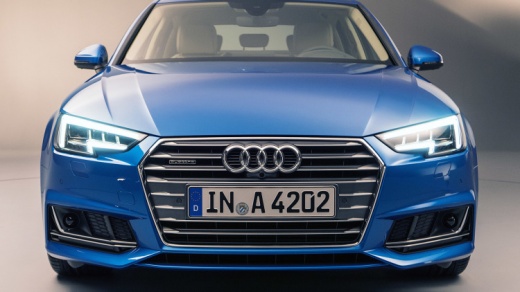
How to Reset the Service Light on an Audi A4?
Model: Audi A4
B9
- Years 2014-2024
Video tutorial
Detailed instructions - To reset the Service light on an Audi A4, access the menu on the central display of the dashboard: first, select the icon of the car viewed from the front, then select the settings icon. This will allow you to choose the option for maintenance intervals, checking that it has expired. Next, connect a scanner to the vehicle's OBD port located under the steering column. After connecting it, perform the same operations shown in the video, ensuring that the interval has been reset from the appropriate menu.
Updated on 21 July 2026 by ScegliAuto
Related tutorials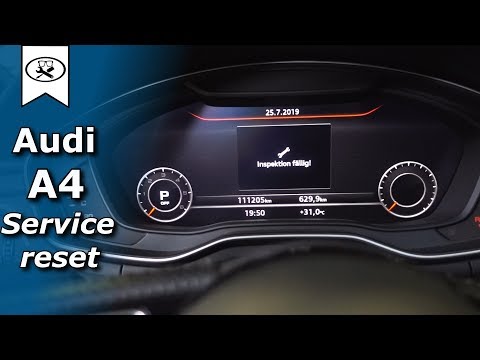
Audi A4
(2014-2024 /
B9)
To reset the Service light on the Audi A4 B9, turn on the ignition and navigate through the menu that appears on the central display: by going into S…
Audi A4
(1994-2000 /
B5)
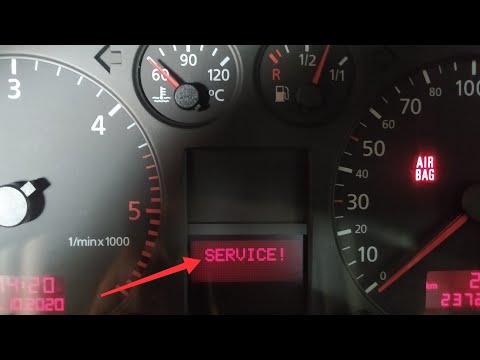
To reset the Service light on a 1997 Audi A4, insert the key and turn on the ignition. Next, press and hold the right button located on the speedomet…

Audi A4
(2014-2024 /
B9)
From the instrument cluster of the Audi A4, you can clear the Service light that illuminates by turning on the ignition and navigating through the me…
Other guides you may be interested in
|
How to Open the Fuel Filler Flap on a 2020 Hyundai i20
Today, you will learn the steps to open the fuel filler flap on a 2020 Hyundai i20. The steps to follow are: - Open the vehicle or turn off the engine if you are already in the vehicle; - Sit in the driver's seat; - Lift the lever located at the bottom left, near the pedal area; - Go to the flap; - Press on the flap; Once the flap is open, you can remove the cap and refuel the vehicle. Then close the cap and flap by pushing inward. Finally, start the vehicle and continue your journey. by ScegliAuto More videos
|
|
For advertising on this site Write to info@scegliauto.com
ScegliAuto is not responsible for any inaccuracy of the data in the lists. To report any inaccuracy or your business (if you own the business in question), please write to info@scegliauto.com
Number of seconds to generate the page: 0.098
(c) ScegliAuto 2026 - info@scegliauto.com - Privacy policy VAT number: IT01247470535 |
