
|
Do it yourself
| |||
| ||||


How do you reset the Service indicator on the Audi A4?
Model: Audi A4
B8
- Years 2007-2016
To reset the Service light on an Audi A4, turn on the instrument panel and navigate to the menu that appears on the central display to check if the maintenance interval has expired. Next, connect a diagnostic tool to the OBD port of the vehicle, which is located just below the steering column. By selecting the specific car model and version, it will be possible to reset the light by disconnecting the scanner. Finally, turn on the instrument panel again to see that the light has disappeared completely from the display.
Posted on 25 April 2023 by ScegliAuto
Video tutorial
Related tutorials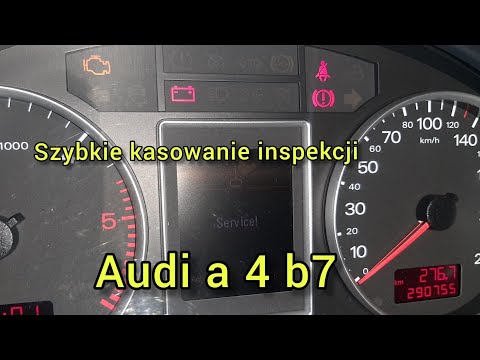
Audi A4
(2004-2008 /
B7)
To reset the service indicator on an Audi A4 B7, you can follow these steps: Turn on the car without starting the engine. Make sure the mileage indic…
Audi A4
(2014-2024 /
B9)
If you own an Audi A4 B9 and want to learn how to manually reset the service indicator, then all you have to do is carefully read our new guide and f…

Audi A4
(2014-2024 /
B9)
The Service indicator that appears on the instrument panel of the Audi A4 can be reset by turning on the instrument panel and navigating through the …
Other guides you may be interested in |
How to Remove the Front Brake Pads on a Chrysler PT Cruiser
To remove the front brake pads on a Chrysler PT Cruiser, position the car on a column lift and raise it to a comfortable height. Unscrew the pins using a socket wrench or air drill and remove the wheel. Then, use a screwdriver to detach the brake pads. Next, remove the caliper bracket and unscrew the pins on the brake disc (using a Torx screwdriver). Pull the disc towards you to slide it off the hub. Install the new brake disc with all associated pins, secure the caliper bracket to the disc and the pads, then mount the brake caliper, ensuring all pins are tightened properly. Before mounting the wheel, bleed the brake caliper and tighten the pin. by ScegliAuto More videos
|

|
For advertising on this site Write to info@scegliauto.com
ScegliAuto is not responsible for any inaccuracy of the data in the lists. To report any inaccuracy or your business (if you own the business in question), please write to info@scegliauto.com
Number of seconds to generate the page: 0.044
(c) ScegliAuto 2026 - info@scegliauto.com - Privacy policy VAT number: IT01247470535 |
