
|
Do it yourself
| |||
| ||||


Instructions for Removing Buttons
Model: Audi Tt
MK 1, 8N
- Years 1998-2006
To remove the buttons on the center console, you need to take out the radio: first, obtain the appropriate extraction keys to insert into the slots at the base of the radio. Insert the keys to release the locking tabs of the radio and pull it out of its position to disconnect the connectors. Once the radio is removed, pull down a plastic cover that secures the buttons to the console, then proceed to remove the buttons by pressing them inward and disconnecting the connectors.
Updated on 18 February 2026 by ScegliAuto
Video tutorial
Related tutorials
Audi Tt
(1998-2006 /
MK 1, 8N)
Start by placing the vehicle on appropriate jack stands and removing the front wheel. Next, unscrew all the fasteners of the wheel well cover to remo…

Audi Tt
(1998-2006 /
MK 1, 8N)
To facilitate the removal of the front bumper, lift the vehicle on a lift or on appropriate jack stands; after lifting, remove the front wheels (you …

Audi Tt
(1998-2006 /
MK 1, 8N)
To remove the front headlight, first remove the bumper since there are mounting pins underneath it. Position the vehicle on a lift or on appropriate …
Other guides you may be interested in
|
How to Remove the Interior Handle on a Volkswagen Golf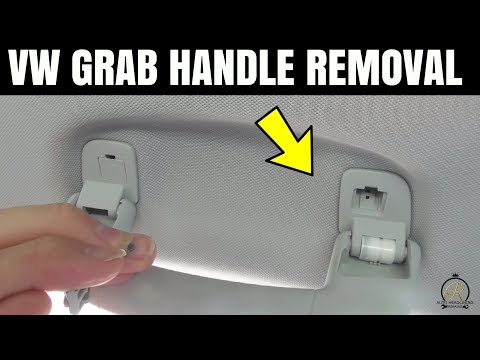
In this video, see how to remove and replace the interior handle of a Volkswagen Golf. This operation is straightforward if you follow the correct steps. First, use a screwdriver to unclip the metal clips of the levers, then take the handle and pull it out from the support. Once the first support is removed, proceed to remove the other support in the same manner. Complete the disassembly of the part: install the new handle with all the supporting brackets as removed previously. Finally, test the correct operation of the handle. by ScegliAuto More videos
|
|
For advertising on this site Write to info@scegliauto.com
ScegliAuto is not responsible for any inaccuracy of the data in the lists. To report any inaccuracy or your business (if you own the business in question), please write to info@scegliauto.com
Number of seconds to generate the page: 0.097
(c) ScegliAuto 2026 - info@scegliauto.com - Privacy policy VAT number: IT01247470535 |
