
|
Do it yourself
| |||
| ||||


How to reset the TPMS light on Audi A6?
Model: Audi A6
C7, MK 4
- Years 2011-2018
To reset the tire pressure warning light on the seventh generation Audi A6 MK7, we need to turn on the car's instrument panel and onboard computer and select the "VEHICLE" option from the menu. Once selected, we enter the "SETTINGS AND SERVICE" menu and select the tire pressure option, store the parameters, and perform the reset. Turn off the car and turn it back on to confirm the reset. Only reset the tire pressure warning light if you have adjusted the tire pressure following the manufacturer's guidelines.
Posted on 27 May 2023 by ScegliAuto
Video tutorial
Related tutorials
Audi A6
(2018-2026 /
C8, MK 5)
When the TPMS light comes on in an Audi A6 model C8 vehicle, it means that the tire pressure needs to be adjusted to ensure the safe operation of our…

Audi A6
(1997-2004 /
MK 2, C5)
When the service light comes on in a vehicle, it means that regular maintenance is necessary. After performing the necessary checks, it is possible t…

Audi A6
(1997-2004 /
MK 2, C5)
Today we will explain how to reset the service light of the Audi A6 in four steps. The reset of the light should be done only after performing mainte…
Other guides you may be interested in
|
How to Update the TomTom on a Renault Scenic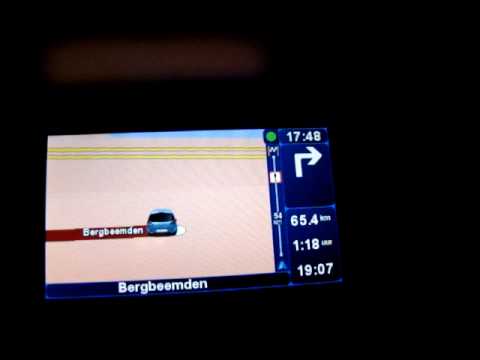
Follow this video to update the original TomTom navigator on a Renault Scenic. This is a very simple operation; enter the vehicle, turn on the instrument panel of your car with the key fob, press the knob located near the gear lever, and find the menu with the update option. Press the knob down and up to confirm, then wait for the necessary time for the device to update. Finally, the onboard computer will display the successful update of the navigator; check everything and turn off the instrument panel with the appropriate key. by ScegliAuto More videos
|
|
For advertising on this site Write to info@scegliauto.com
ScegliAuto is not responsible for any inaccuracy of the data in the lists. To report any inaccuracy or your business (if you own the business in question), please write to info@scegliauto.com
Number of seconds to generate the page: 0.052
(c) ScegliAuto 2026 - info@scegliauto.com - Privacy policy VAT number: IT01247470535 |
