
|
Do it yourself
| |||
| ||||


How to change the background of the MMI 3g system in the Audi A4.
Model: Audi A4
B8
- Years 2007-2016
There are two ways to change the background of the Audi A4. The first method is basic and involves setting pre-existing wallpapers in the system. The second method involves inserting an image through a memory card. To perform the first method, the first thing to do is to turn on the display and use the CAR and SETUP buttons to navigate to the green menu. Once in the menu, scroll to the "car" option and select it. Then, select the "carcodingvehicle" option and finally the "configuratione line" option. From this option, we can modify the background with the various types offered by the system. All that's left is to restart the system by pressing the SETUP, central, and top right buttons. To perform the second method, the first thing to do is to transfer the desired photo onto the memory card and insert it into one of the slots of the car radio. Turn on the display and wait for it to load, then restart the system. Automatically, the background that will be inserted will be the one from the memory card. Now, remove the memory card and you're done.
Posted on 8 November 2023 by ScegliAuto
Video tutorial
Related tutorials
Audi A4
(2007-2016 /
B8)
It will be possible to reset the MMI system of the Audi A4 by first turning on the instrument panel, inserting the ignition key into the correspondin…

Audi A4
(2007-2016 /
B8)
In today's video we will see how to change the language of the Audi A4 MMI multimedia system, following the instructions below. First of all we get i…

Audi A4
(2014-2024 /
B9)
To be able to reset the MMI system of the Audi A4 B9 you have to go and turn on the instrument panel, so that the car radio also turns on. At this po…
Other guides you may be interested in |
Frequently Asked QuestionsHow to Replace the Gear Gaiter on the Opel Meriva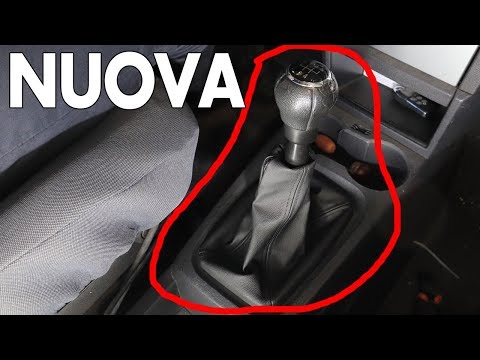
Want to replace the gear gaiter on the Opel Meriva? Let’s see how to do it in this video: detach the gaiter frame from the plastic covering on the centre console (cut the plastic tie with side cutters). Once the gaiter to be replaced is removed, install the new piece. Reassemble: attach the gaiter to the plastic frame, then insert the cover onto the gear stick (secure the tie as shown in the video). Lower the gaiter until it clicks into place in the plastics of the centre console. Test the correct fitting of the previously installed parts. by ScegliAuto More videos
|

|
For advertising on this site Write to info@scegliauto.com
ScegliAuto is not responsible for any inaccuracy of the data in the lists. To report any inaccuracy or your business (if you own the business in question), please write to info@scegliauto.com
Number of seconds to generate the page: 0.058
(c) ScegliAuto 2026 - info@scegliauto.com - Privacy policy VAT number: IT01247470535 |
