
|
Do it yourself
| |||
| ||||


How to remove the AdBlue light in the Audi Q3?
Model: Audi Q3
8U
- Years 2011-2018
If the AdBlue light has turned on in the dashboard of our Audi Q3, it means that the pollution control liquid has reached a too low level and therefore needs to be topped up. To do this, we will need a 10-liter canister of urea, which can be purchased at any car parts store. Once obtained, we turn off the engine and open the fuel door, then unscrew the small blue cap and insert the canister's tube into the hole. At this point, we pour in the necessary amount of liquid to reach the maximum level, which will automatically turn off the light.
Posted on 21 November 2023 by ScegliAuto
Video tutorial
Related tutorials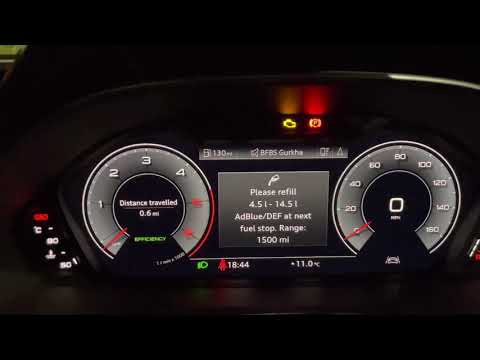
Audi Q3
(2018-2025 /
F3)
In this tutorial, we can see how to remove the AdBlue warning light in the Audi Q3. The light activates when the pollution liquid reaches the minimum…

Audi Q3
(2011-2018 /
8U)
In order to reset the Service light of the Audi Q3, you need to insert the ignition key into the corresponding slot so that you can turn on the dashb…

Audi Q3
(2018-2025 /
F3)
Today we will see how to reset the oil light on a latest generation Audi Q3 vehicle. To perform the reset of the light, we need to turn on the vehicl…
Other guides you may be interested in
|
How to Remove the Steering Wheel Airbag on a Fiat Panda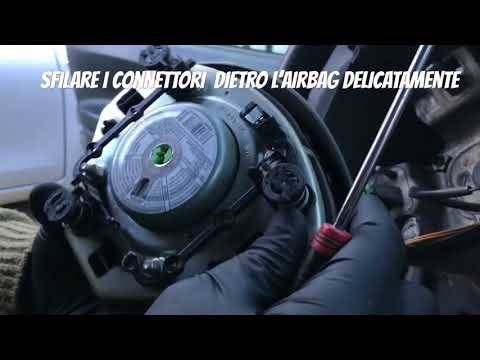
How to remove the steering wheel airbag on a Fiat Panda? Before removing the car's steering wheel, disconnect the battery terminals located in the engine bay. Here's how to proceed with the removal: remove the inspection caps at the back of the steering wheel (if present), then unscrew the screws/fasteners of the steering wheel cover (where the airbag is located) using a socket wrench or screwdriver. Once the airbag is released (driver's side), disconnect the power connectors and remove it from the steering wheel. For reassembly of the airbag: connect the power connectors and fit the airbag with the screws. by ScegliAuto More videos
|
|
For advertising on this site Write to info@scegliauto.com
ScegliAuto is not responsible for any inaccuracy of the data in the lists. To report any inaccuracy or your business (if you own the business in question), please write to info@scegliauto.com
Number of seconds to generate the page: 0.062
(c) ScegliAuto 2026 - info@scegliauto.com - Privacy policy VAT number: IT01247470535 |
