
|
Do it yourself
| |||
| ||||


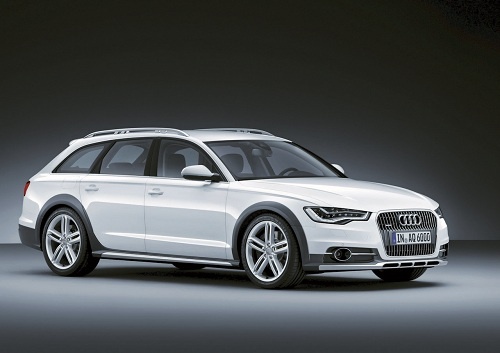
How to reset the tire indicator light in the Audi A6?
Model: Audi A6
C7, MK 4
- Years 2011-2018
Resetting the tire pressure warning light in the Audi A6, as we can see in this tutorial, is an extremely simple and quick operation. Before proceeding, we must have completed all the required scheduled maintenance work. Let's start by going inside the cabin, then we turn on the instrument panel and press the "CAR" button located on the center console. Next, we enter the "Car system" section by pressing the lower left directional arrow, select "Servicing & checks", and finally "Tire pressure monitoring". At this point, all that's left is to confirm the reset and restart the instrument panel.
Posted on 17 January 2024 by ScegliAuto
Video tutorial
Related tutorials
Audi A6
(2004-2012 /
C6, MK 3)
In this tutorial, we can see how to reset the tire pressure warning light in the Audi A6, an extremely simple and quick operation, to be carried out …

Audi A6
(2011-2018 /
C7, MK 4)
In this tutorial, we can see how to reset the tire pressure warning light in the Audi A6, an extremely simple and quick operation, to be performed on…

Audi A6
(2018-2026 /
MK 5, C8)
In this tutorial we can see how to reset the tire pressure light in the Audi A6, an extremely simple and quick operation, to be carried out only once…
Other guides you may be interested in |
How to Replace the Engine Air Filter on a Peugeot Partner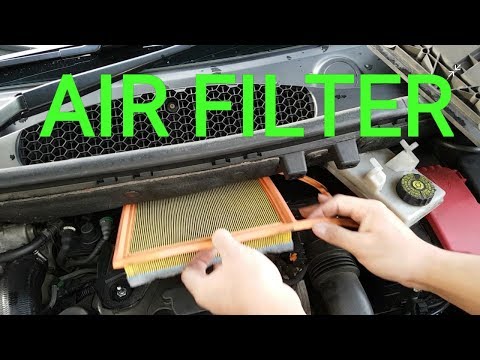
The engine air filter for this car model is located at the rear of the engine bay, directly under the windscreen, in a central position: to access the filter housing, first remove the brake fluid reservoir; then you can unscrew the three front screws that secure the filter container cover, release the side latch, and complete the removal of the cover; then extract the old filter, remove any dirt residue, ensuring no impurities enter the intake, install the new filter ensuring the seal fits perfectly against the edges of the box, and refit the cover and brake fluid reservoir. by ScegliAuto More videos
|
|
For advertising on this site Write to info@scegliauto.com
ScegliAuto is not responsible for any inaccuracy of the data in the lists. To report any inaccuracy or your business (if you own the business in question), please write to info@scegliauto.com
Number of seconds to generate the page: 0.052
(c) ScegliAuto 2026 - info@scegliauto.com - Privacy policy VAT number: IT01247470535 |
