
|
Do it yourself
| |||
| ||||


How to reset the MMI system in the Audi A1?
Model: Audi A1
8X, MK 1
- Years 2010-2018
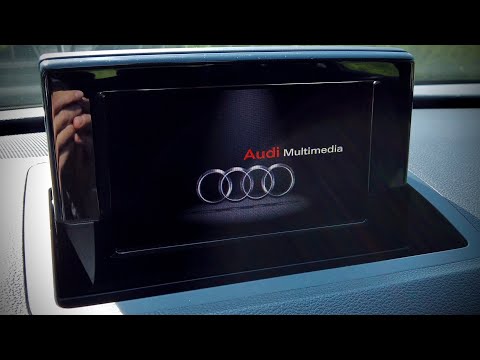
In the Audi A1, the multimedia system MMI may occasionally malfunction, such as experiencing continuous freezes. In these cases, try to resolve the issue by performing a reset, as shown in this tutorial. Start by entering the cabin, then turn on the instrument panel and hold down the upper right arrow button, the central knob, and the "BACK" button. Keep the three buttons pressed for about 3 seconds, release them, and wait for the system to fully reboot, finally checking that the problem is resolved.
Updated on 15 September 2026 by ScegliAuto
Video tutorial
Related tutorials
Audi A1
(2010-2018 /
8X, MK 1)
In addition to using the OBD port, you can reset the service light on the Audi A1 through the MMI system. To do this, after fully starting the system…
Audi A1
(2010-2018 /
8X, MK 1)
In this guide, you will see how to force a reset of the MMI multimedia system of the Audi A1, a very simple operation to perform if it shows signs of…

Audi A1
(2018-2025 /
MK 2, GB)
To activate Apple CarPlay on the MMI multimedia system of an Audi A1, start by accessing the "Connected devices" or "Bluetooth" section in the MMI sy…
Other guides you may be interested in |
Frequently Asked QuestionsHow to Check the Oil Level on a Jeep Renegade?
To check the oil level on a Jeep Renegade, you need to open the bonnet to access the components inside the engine bay: on the lower left side of the engine block, you will find the dipstick for checking the level. This should be pulled out and thoroughly cleaned with a cloth: once cleaned, reinsert it back into its tube and pull it out immediately after. This way, you can check that the oil mark is between the minimum and maximum levels; finally, you can place the dipstick back in its tube. by ScegliAuto More videos
|

|
For advertising on this site Write to info@scegliauto.com
ScegliAuto is not responsible for any inaccuracy of the data in the lists. To report any inaccuracy or your business (if you own the business in question), please write to info@scegliauto.com
Number of seconds to generate the page: 0.717
(c) ScegliAuto 2026 - info@scegliauto.com - Privacy policy VAT number: IT01247470535 |
