
|
Do it yourself
| |||
| ||||


How do you reset the service indicator in the Audi A4 B8?
Model: Audi A4
B8
- Years 2007-2016
The expiration notice for the periodic maintenance of the Audi A4 B8, which includes changing the engine oil and filter, can be reset using the controls available in the Settings Menu of the vehicle. In this video, we see and hear how to do it: Turn on the instrument panel, press the Car button, select the Service Interval display option with the joystick behind the gear lever, then select Reset Oil Change Interval and finally Yes. This activates the deletion procedure and the future scheduled expiration date will appear on the central display of the dashboard.
Posted on 2 August 2024 by ScegliAuto
Video tutorial
Related tutorials
Audi A4
(2014-2024 /
B9)
The Service indicator that appears on the instrument panel of the Audi A4 can be reset by turning on the instrument panel and navigating through the …

Audi A4
(2014-2024 /
B9)
The Service indicator that is shown on the instrument panel of the Audi A4 can be reset by turning on the instrument panel and navigating through the…
Audi A4
(2004-2008 /
B7)
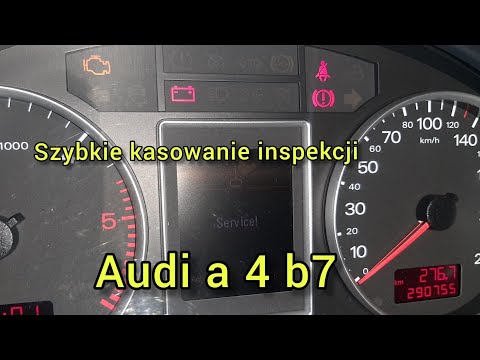
To reset the service indicator on an Audi A4 B7, follow these steps: Turn on the car without starting the engine. Ensure that the odometer or central…
Other guides you may be interested in
|
How to Replace the Key Battery in a Skoda Karoq
Replacing the button battery in your new Skoda Karoq key takes just a few minutes and can be done independently. Simply follow these steps. First, press the lower button of the cover while simultaneously pulling out the physical emergency key. Then, using a small flat screwdriver, remove the rear cover to access the exhausted battery. Remove the old battery and replace it with a new compatible model (CR2032). Finally, reattach the rear cover and insert the physical key back in. by ScegliAuto More videos
|

|
For advertising on this site Write to info@scegliauto.com
ScegliAuto is not responsible for any inaccuracy of the data in the lists. To report any inaccuracy or your business (if you own the business in question), please write to info@scegliauto.com
Number of seconds to generate the page: 0.237
(c) ScegliAuto 2026 - info@scegliauto.com - Privacy policy VAT number: IT01247470535 |
