
|
Do it yourself
| |||
| ||||


Resetting the service reminder of the BMW X1
Model: BMW X1
U11
- Years 2022-2026
Today we will discover the useful information for resetting the service maintenance reminder for the regular oil change of the BMW X1. First, we get into the car and start the instrument panel; then we use the left button on the instrument panel and hold it down until the possible reset warning for the engine oil light appears, as shown in the video. At this point, we release the button and press it again until the reset of the kilometers to be traveled before the next service; then we turn off the instrument panel and start the engine!
Posted on 10 July 2025 by ScegliAuto
Video tutorial
Related tutorials
BMW X1
(2022-2026 /
U11)
Today we will see how to reset the service light of a 2023 BMW X1 vehicle. To reset the maintenance light, we need to turn on the instrument panel an…

BMW X1
(2009-2015 /
E84)
Resetting the service light on a 2014 BMW X1 is a simple and quick task that can be done independently. The steps to follow are as follows: turn on t…
BMW X1
(2015-2022 /
F48)
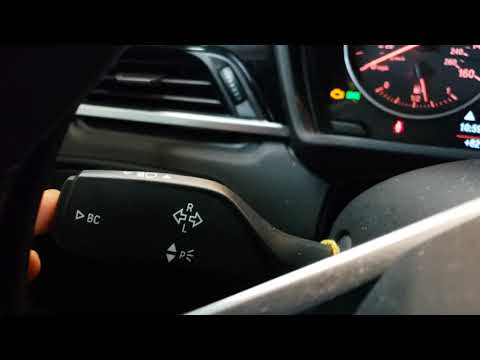
Let's see thanks to this very short video guide how to reset the service light, the light related to the remaining life of the engine oil, on a BMW X…
Other guides you may be interested in
|
Removing the Front Wheel of a Yamaha Tmax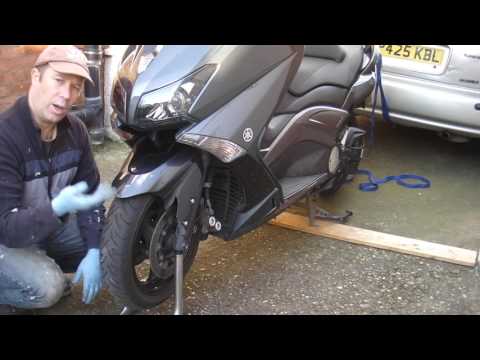
In this video tutorial, you will learn how to remove the front wheel of a Yamaha Tmax 530 (penultimate series). First, remove the fork bolts using a ratchet spanner: then also remove the brake caliper. Now, you will need a stand to lift the front of the bike to safely remove the wheel: then unscrew the central bolt of the wheel: at this point, you can remove it. If desired, you can also remove the mudguard by unscrewing the relevant screws. Apply the reverse procedure for reassembly! by ScegliAuto More videos
|

|
For advertising on this site Write to info@scegliauto.com
ScegliAuto is not responsible for any inaccuracy of the data in the lists. To report any inaccuracy or your business (if you own the business in question), please write to info@scegliauto.com
Number of seconds to generate the page: 0.084
(c) ScegliAuto 2026 - info@scegliauto.com - Privacy policy VAT number: IT01247470535 |
