
|
Do it yourself
| |||
| ||||


How to Reset the Service Light on a BMW 5 Series?
Model: BMW Serie 5
F11, F10
- Years 2010-2017
To reset the Service light on a BMW 5 Series, turn on the ignition by pressing the appropriate button next to the steering column. This will allow you to access the menu that will appear on the instrument cluster. Navigate through the menu by pressing the button located on the left side of the cluster until the mileage until the next service appears. When this shows up, press and hold the button on the left side of the display until the maintenance interval is reset, and then you can turn off the ignition.
Updated on 8 September 2026 by ScegliAuto
Video tutorial
Related tutorials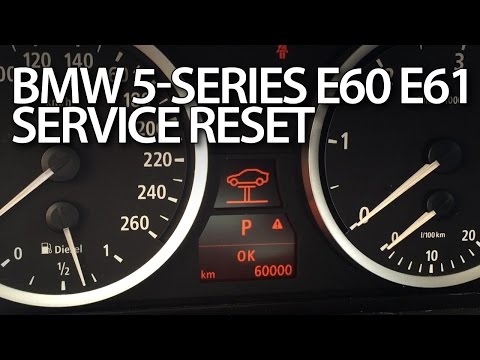
BMW Serie 5
(2003-2010 /
E61, E60)
In this video tutorial, you will see how to manually reset the maintenance light on the BMW 5 Series E60 and E61. This procedure should only be follo…

BMW Serie 5
(1995-2003 /
E39)
The Service indicator that is shown on the instrument panel of the BMW 5 Series must be turned on by turning on the instrument panel, inserting the i…
BMW Serie 5
(2010-2017 /
F11, F10)
To unlock the automatic transmission of the BMW 5 Series, remove the screws that secure the glove compartment located directly in front of the gear s…
Other guides you may be interested in
|
How to Adjust the Brightness of the Instrument Cluster on a Peugeot 3008?
To adjust the brightness of the instrument cluster on a Peugeot 3008, you need to turn on the ignition and access the settings via the menu located in the central area of the dashboard. In the screen that appears, select the "Display Configuration" option: now, by selecting the "Brightness" option, you can adjust it using the dedicated slider that will appear on the screen. The adjustment should be made with the headlights on as well as with them off. Once the adjustment is complete, you can turn off the instrument cluster. by ScegliAuto More videos
|

|
For advertising on this site Write to info@scegliauto.com
ScegliAuto is not responsible for any inaccuracy of the data in the lists. To report any inaccuracy or your business (if you own the business in question), please write to info@scegliauto.com
Number of seconds to generate the page: 0.057
(c) ScegliAuto 2026 - info@scegliauto.com - Privacy policy VAT number: IT01247470535 |
