
|
Do it yourself
| |||
| ||||


How do you reset the automatic gearbox of BMW?
Model: BMW BMW Various
To reset the automatic transmission of BMW vehicles, you need to connect a diagnostic tool to the OBD port of the vehicle: this port can be found on the lower left side of the dashboard, next to the steering column. Once this scanner is connected, you can select the specific model of the car and its corresponding version: then you can proceed by following all the instructions in the tutorial so that the automatic transmission can be reset. Finally, you can disconnect the scanner to verify that everything is working properly.
Posted on 21 July 2024 by ScegliAuto
Video tutorial
Related tutorials
BMW BMW Various
In this tutorial we can see how to reset the automatic transmission in a BMW, a very simple and quick operation to be carried out for example in case…

BMW BMW Various
In order to reset the automatic transmission of BMW, you need to connect a diagnostic tool to the OBD port of the vehicle: this port can be found on …

BMW BMW Various
In this tutorial, we can see how to reset the automatic transmission in a BMW, an extremely quick operation to be carried out, for example, as an att…
Other guides you may be interested in
|
How to Replace the Battery on a Peugeot 207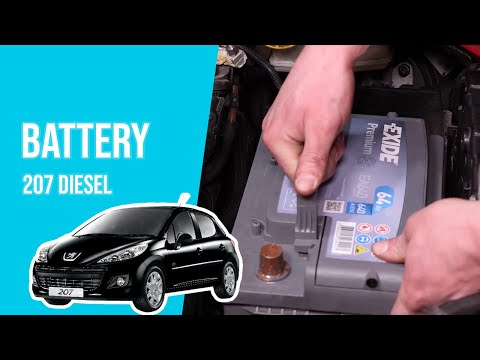
How to replace the battery on a Peugeot 207? Follow these steps: open the car door and pull up the engine compartment release lever located at the bottom left of the dashboard, then lift the front bonnet, disengaging the locking lever with your fingers. Secure it with the prop rod. Once the engine compartment is open, you will find the battery to be replaced on the right. Use a socket spanner to unscrew the securing bolts of the battery terminals and disconnect the locking plate (if present). Remove the old battery and fit a new one, tightening the power terminals. Close the battery compartment and shut the bonnet. by ScegliAuto More videos
|
|
For advertising on this site Write to info@scegliauto.com
ScegliAuto is not responsible for any inaccuracy of the data in the lists. To report any inaccuracy or your business (if you own the business in question), please write to info@scegliauto.com
Number of seconds to generate the page: 0.092
(c) ScegliAuto 2026 - info@scegliauto.com - Privacy policy VAT number: IT01247470535 |
