
|
Do it yourself
| |||
| ||||


2014-2019 BMW X6 (MK 2, F16)
Tutorial - For model years: 2014, 2015, 2016, 2017, 2018, 2019
Mechanics (1)Electrical System and Lighting (2)Air Conditioning and Cooling (2)Bodywork and Windows (2)Interior and Accessories (2)Vehicle Controls and Functions (2) BMW X6 (2014-2019 / F16, MK 2) Where to Find the Cabin Air Filter on the BMW X6 The cabin air filter on the BMW X6 is located in a standard position for many BMW models, but access may vary depending on the production year. For the first …Read all… Posted on 30 July 2026 by ScegliAuto  BMW X6 (2014-2019 / F16, MK 2) Where to Find the Cabin Fuse Box of the BMW X6 F16 If you own a BMW X6 F16 and want to easily locate the fuse box, read this guide and follow the steps described. First, access the front passenger seat, then …Read all… Posted on 27 June 2026 by ScegliAuto  BMW X6 (2014-2019 / F16, MK 2) How to replace the battery in the remote control of the BMW X6 F16. Thanks to the few simple steps described in the following guide, you will be able to independently replace the battery located inside the remote control of …Read all… Posted on 28 November 2025 by ScegliAuto  BMW X6 (2014-2019 / F16, MK 2) How to replace the emblem of the manufacturer of the BMW X6 Today we will explain how to replace the manufacturer's emblem of a BMW X6 vehicle on your own and without leaving any glue residue. To replace the emblem, we …Read all… Posted on 23 November 2025 by ScegliAuto  BMW X6 (2014-2019 / F16, MK 2) How to Refill AdBlue on a BMW X6 In today's video guide, you will see the entire process needed to refill the AdBlue fluid on a BMW X6, second generation model produced from 2014 to 2019. …Read all… Posted on 30 October 2026 by ScegliAuto  BMW X6 (2014-2019 / F16, MK 2) How to Unlock the Automatic Transmission of the BMW X6 in an Emergency This article explains how to unlock the automatic transmission of the BMW X6 in case of a transmission failure emergency. This procedure takes less than 1 …Read all… Posted on 13 October 2026 by ScegliAuto  BMW X6 (2014-2019 / F16, MK 2) How to Replace the Cabin Air Filter on a BMW X6 F16 If the cabin air filter in your BMW X6 F16 (2014-2019) is excessively worn and you want to learn how to replace it quickly and safely, follow this procedure. …Read all… Posted on 12 October 2026 by ScegliAuto 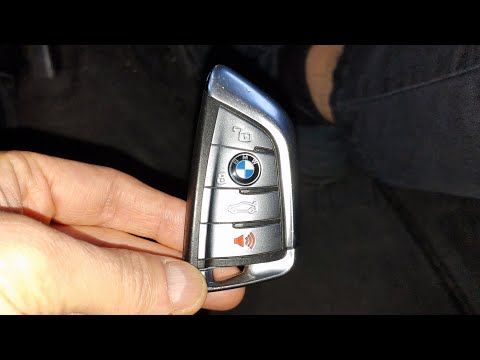 BMW X6 (2014-2019 / F16, MK 2) How to Replace the Key Battery for the BMW X6 If the smart key for your BMW X6 second generation (model years 2014-2019) has suddenly stopped working due to a completely dead battery, don't worry because …Read all… Posted on 11 September 2026 by ScegliAuto  BMW X6 (2014-2019 / F16, MK 2) How to Replace the Outside Mirror on a BMW X6 To replace the outside mirror on a BMW X6, remove the trim piece located on the door handle corresponding to the mirror. Once the trim is off, you can unscrew …Read all… Posted on 18 August 2026 by ScegliAuto  BMW X6 (2014-2019 / F16, MK 2) How to Replace the Emergency Call Battery in the BMW X6? To replace the battery that controls the emergency call system in the BMW X6, recline the rear seats and remove the covers from the rear door pillars. Next, …Read all… Posted on 24 July 2026 by ScegliAuto 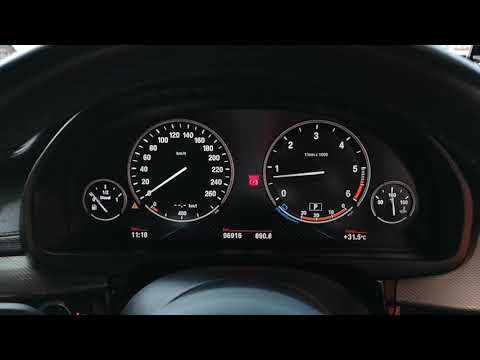 BMW X6 (2014-2019 / F16, MK 2) How to Reset the Tire Pressure Light on the BMW X6 In this brief and simple video, learn how to reset the Tire Pressure Monitoring System (TPMS) light on the second generation BMW X6. Before performing the …Read all… Posted on 14 July 2026 by ScegliAuto |
See also:Resetting the Tyre Pressure Monitoring System (TPMS) Light on the Toyota Yaris
These brief and simple steps will show you how to reset the tyre pressure monitoring system (TPMS) light on the Toyota Yaris. Before resetting the light, ensure that all four tyres are at the correct operating pressure. Get inside the vehicle on the driver's side and locate the TPMS reset button found at the bottom left of the dashboard (next to the steering wheel); press and hold it until the TPMS light on the instrument cluster resets, following the video until the end! by ScegliAuto More videos
|
|
For advertising on this site Write to info@scegliauto.com
ScegliAuto is not responsible for any inaccuracy of the data in the lists. To report any inaccuracy or your business (if you own the business in question), please write to info@scegliauto.com
Number of seconds to generate the page: 0.009
(c) ScegliAuto 2026 - info@scegliauto.com - Privacy policy - About us VAT number: IT01247470535 |
