
|
Do it yourself
| |||
| ||||


Chevrolet Express - KeyKey Chevrolet Express (2003-2024 / mk 2) Chevrolet Express (2003-2024 / MK 2) How to Program a Remote for a Chevrolet Express Van? In this tutorial, you will see how to program a remote for the Chevrolet Express van, a very simple and quick process. First, you will need a working key. …Read all… Posted on 13 September 2026 by ScegliAuto  Chevrolet Express (2003-2024 / MK 2) How to Program the Key Fob for the Chevrolet Express Today, you will learn how to program the key fob for the Chevrolet Express produced from 2008 to 2010. Insert the working key into the ignition and turn it to …Read all… Posted on 31 May 2026 by ScegliAuto 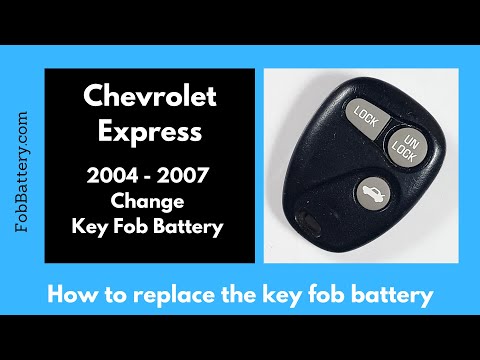 Chevrolet Express (2003-2024 / MK 2) How to Replace the Key Fob Battery for the Chevrolet Express To replace the battery inside your Chevrolet Express Mk2 key fob, follow these simple steps. First, get a coin (or a flathead screwdriver) and use it to open …Read all… Posted on 5 November 2026 by ScegliAuto 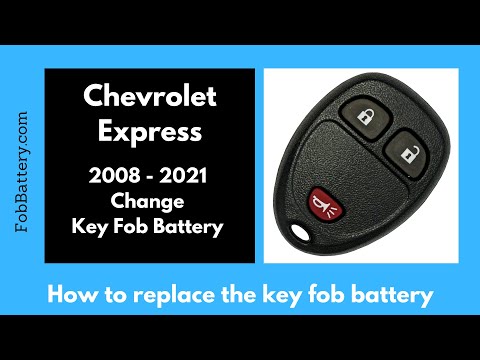 Chevrolet Express (2003-2024 / MK 2) How to Replace the Key Fob Battery on a Chevrolet Express Van? Replacing the key fob battery on a Chevrolet Express van, as shown in this tutorial, is an extremely simple and quick operation. For this, you will need a …Read all… Posted on 19 October 2026 by ScegliAuto  Chevrolet Express (2003-2024 / MK 2) How to Program a New Key for the Chevrolet Express? You can program a new key for the Chevrolet Express without going to the dealership. This way, you can save costs and have a fully functional spare key. …Read all… Posted on 18 August 2026 by ScegliAuto  Chevrolet Express (2003-2024 / MK 2) How to Replace the Remote Battery on a Chevrolet Express? As shown in this tutorial, replacing the remote battery on a Chevrolet Express van is a very simple and quick operation. You will need a replacement CR2032 …Read all… Posted on 26 July 2026 by ScegliAuto Cigarette lighter (1) Key (6) Checks and maintenance (1) Headlight (2) Air filter (2) Headlight bulb (2) Tail light bulb (3) Handle (1) Engine oil (1) Clock (1) Front bumper (1) Fuse box (5) Side mirror (1) Warning light – error code (1) Tire pressure warning light (2) Service warning light (10) Steering wheel (1) |
Resetting the Service Light on the Mitsubishi Canter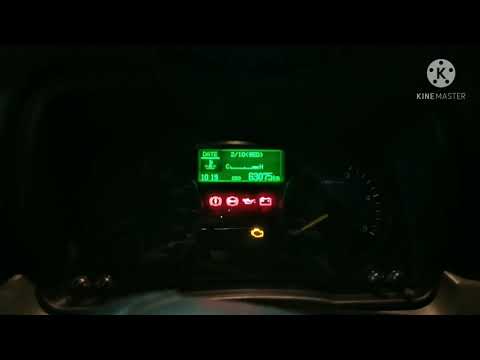
When it is necessary to change the engine oil of the Mitsubishi Canter, a warning on the dashboard alerts us to this requirement. Once this maintenance task is completed, you must reset the control system. Sit in the driver's seat and turn on the instrument panel. Without starting the engine, press and hold the accelerator pedal for twenty seconds. After this time interval, while still holding the accelerator pedal, pump the brake pedal six times. Once done, the warning on the instrument panel will turn off, confirming the reset. by ScegliAuto More videos
|
|
For advertising on this site Write to info@scegliauto.com
ScegliAuto is not responsible for any inaccuracy of the data in the lists. To report any inaccuracy or your business (if you own the business in question), please write to info@scegliauto.com
Number of seconds to generate the page: 0.005
(c) ScegliAuto 2026 - info@scegliauto.com - Privacy policy - About us VAT number: IT01247470535 |
