
|
Do it yourself
| |||
| ||||


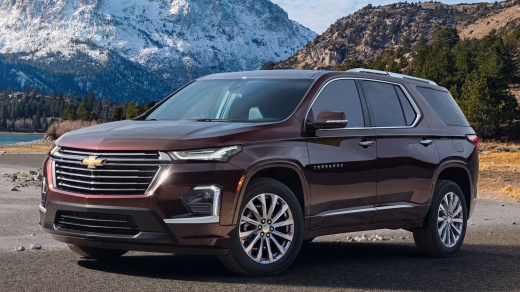
How to Paint the Emblem on the Chevrolet Traverse
Model: Chevrolet Traverse
MK 2
- Years:
2018, 2019, 2020, 2021, 2022, 2023, 2024, 2025
Video tutorial
In this video, you will learn how to paint the emblem on the Chevrolet Traverse. To prevent other parts of the trunk and surfaces around the emblem from being painted, take a plastic sheet and carefully cover the trunk and other areas around the logo. Use masking tape to secure the sheet. Now, apply masking tape around the logo, leaving only the symbol you intend to paint exposed. With a spray can of your chosen color, spray the logo from a distance of about 8-10 inches. Allow it to dry for at least 10 minutes. Once the paint has dried, assess if a second coat is necessary.
Updated on 7 July 2026 by ScegliAuto
Related tutorials
Chevrolet Traverse
(2018-2025 /
MK 2)
Learn how to change the original gold-yellow emblem on a Chevrolet Traverse to a more aggressive black one, both on the front and rear of the vehicle…

Chevrolet Traverse
(2018-2025 /
MK 2)
As shown in the video, removing and replacing the emblems on the Chevrolet Traverse is very simple. You need to use masking tape to outline the lette…

Chevrolet Traverse
(2018-2025 /
MK 2)
In today's video, you will see a very simple maintenance operation that can be easily performed in your garage. You will learn how to replace the air…
Other guides you may be interested in |
How to Set the Time in an Audi A4?
In this tutorial, you will see how to set the time in an Audi A4, a very simple and quick operation to perform after replacing the battery or when the time changes. First, insert the key and turn on the instrument cluster. Then, press the "SETUP" button located on the center console. Next, press the upper left arrow button, navigate to the "Time" option, and use the central knob to adjust the clock. Finally, set any necessary formats and save by returning to the main screen. by ScegliAuto More videos
|
|
For advertising on this site Write to info@scegliauto.com
ScegliAuto is not responsible for any inaccuracy of the data in the lists. To report any inaccuracy or your business (if you own the business in question), please write to info@scegliauto.com
Number of seconds to generate the page: 0.009
(c) ScegliAuto 2026 - info@scegliauto.com - Privacy policy VAT number: IT01247470535 |
