
|
Do it yourself
| |||
| ||||


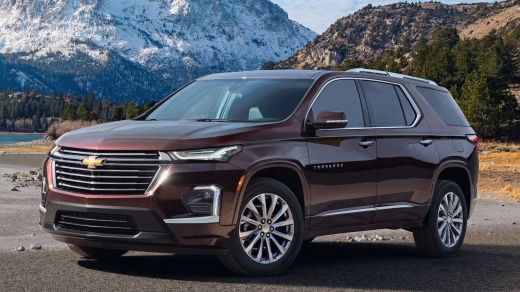
How to Remove or Replace the Chevrolet Traverse Emblems?
Model: Chevrolet Traverse
MK 2
- Years:
2018, 2019, 2020, 2021, 2022, 2023, 2024, 2025
Video tutorial
As shown in the video, removing and replacing the emblems on the Chevrolet Traverse is very simple. You need to use masking tape to outline the lettering you want to replace. In the video, the steel 'Traverse' lettering is replaced with a black one. The tape will help you position the lettering straight and of the same length. Remove the individual letters using a hairdryer or a heat gun. Use a plastic card (like a credit card) to help pry off the letters and adhesive. Clean the area well first with a lubricant and then with alcohol. Then take your black emblem and apply it where the steel one was. Finally, remove the masking tape.
Updated on 3 June 2026 by ScegliAuto
Related tutorials
Chevrolet Traverse
(2018-2025 /
MK 2)
Learn how to change the original gold-yellow emblem on a Chevrolet Traverse to a more aggressive black one, both on the front and rear of the vehicle…

Chevrolet Traverse
(2018-2025 /
MK 2)
In today's video, you will see a very simple maintenance operation that can be easily performed in your garage. You will learn how to replace the air…

Chevrolet Traverse
(2009-2017 /
MK 1)
To replace the door panel of the Chevrolet Traverse, detach the cover located at the internal handle to loosen the underlying screw. Next, loosen the…
Other guides you may be interested in |
How to reset the tyre pressure warning light on the Kia Niro EV?
To reset the tyre pressure warning light on the Kia Niro EV, inflate the tyres until they reach the correct pressure value. This value is indicated on the sticker attached to the driver's door pillar. Once the tyres are inflated, turn on the instrument cluster to check that the warning light has completely disappeared from the display. If it is still present, you may need to drive for a few miles to ensure it disappears completely from the screen. by ScegliAuto More videos
|
|
For advertising on this site Write to info@scegliauto.com
ScegliAuto is not responsible for any inaccuracy of the data in the lists. To report any inaccuracy or your business (if you own the business in question), please write to info@scegliauto.com
Number of seconds to generate the page: 0.011
(c) ScegliAuto 2026 - info@scegliauto.com - Privacy policy VAT number: IT01247470535 |
