
|
Do it yourself
| |||
| ||||



How to Fix the Direction Indicator Malfunction on the Chrysler Crossfire
Model: Chrysler Crossfire
MK 1
- Years:
2003, 2004, 2005, 2006, 2007
Video tutorial
In this video, we will address the issue of a Chrysler Crossfire where the direction indicators have completely stopped working. Other electrical systems, however, function normally, leading the YouTuber to believe the problem is due to a blown fuse or a poor connection, as the issue occurs intermittently. The problem may not be due to a single fuse but could be the fuse box itself, which may have oxidised contacts or internal cracks at the problematic fuse (if it is intact). In the video, we see a right-hand drive vehicle, and the fuse box is located on the driver's side: for left-hand drive vehicles, check the thickness of the dashboard, always on the driver's side where you will locate fuse F35, check it, replace it if necessary, and clean the contacts with appropriate spray. In this case, it was necessary to replace the entire fuse box.
Posted on 11 July 2026 by ScegliAuto
Related tutorials
Chrysler Crossfire
(2003-2007 /
MK 1)
In this video, you can see where the fuse boxes are located and their respective diagrams in the Chrysler Crossfire, useful if you need to check the …

Chrysler Crossfire
(2003-2007 /
MK 1)
In this video tutorial, you will learn how to remove and replace the front headlamps of the Chrysler Crossfire, following the instructions below. Fir…

Chrysler Crossfire
(2003-2007 /
MK 1)
To remove the door lock from the Chrysler Crossfire, first remove the door panel and then detach the seal along its side. This will allow you to loos…
Other guides you may be interested in
|
How to Set the Time in an Audi A4?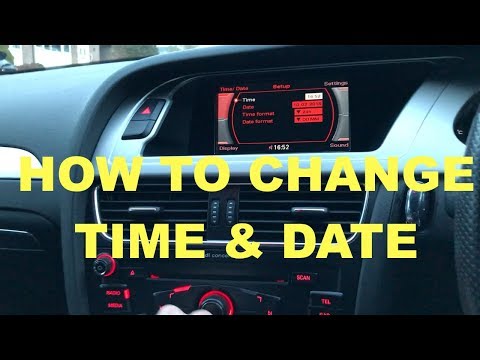
In this tutorial, you will see how to set the time in an Audi A4, a very simple and quick operation to perform after replacing the battery or when the time changes. First, insert the key and turn on the instrument cluster. Then, press the "SETUP" button located on the center console. Next, press the upper left arrow button, navigate to the "Time" option, and use the central knob to adjust the clock. Finally, set any necessary formats and save by returning to the main screen. by ScegliAuto More videos
|
|
For advertising on this site Write to info@scegliauto.com
ScegliAuto is not responsible for any inaccuracy of the data in the lists. To report any inaccuracy or your business (if you own the business in question), please write to info@scegliauto.com
Number of seconds to generate the page: 0.188
(c) ScegliAuto 2026 - info@scegliauto.com - Privacy policy VAT number: IT01247470535 |
