
|
Do it yourself
| |||
| ||||


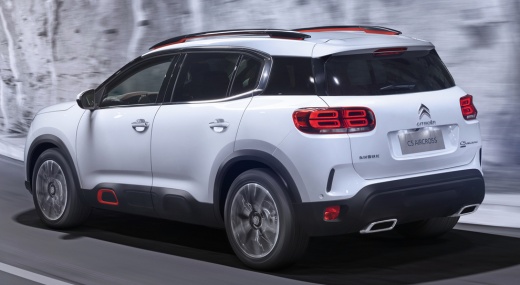
How to Set the Clock on the Citroën C5 Aircross?
Model: Citroen C5 Aircross
MK 1
- Years:
2017, 2018, 2019, 2020, 2021, 2022
Video tutorial
To set the clock on the Citroën C5 Aircross, you need to turn on the instrument panel so that you can access the menu that will appear on the screen in the centre of the dashboard: press the gear icon located at the top right of the screen. Here, you can select the "Time-Date Adjustment" option from the displayed menu: then select the "Time" option at the bottom right of the screen to remove the synchronisation with the internet time and proceed with manual time adjustment. Once finished, you can return to the initial screen to confirm the changes.
Updated on 19 October 2026 by ScegliAuto
Related tutorials
Citroen C5 Aircross
(2017-2022 /
MK 1)
The clock adjustment on the Citroën C5 Aircross can be done by turning on the instrument panel, so that it is possible to access the menu that will b…

Citroen C5 Aircross
(2017-2022 /
MK 1)
In this guide we will see the instructions that will allow us to access the settings menu and how to adjust the time on the Citroen C5 Aircross. Firs…

Citroen C5 Aircross
(2017-2022 /
MK 1)
To set the clock on the Citroen C5 Aircross, switch on the infotainment system, go to any screen where the clock is visible in the top right corner, …
Other guides you may be interested in
|
How to Replace the External Door Handle on a Renault Master
Today's instructions will show you the procedure for removing and replacing the external door handle on the front door of the Renault Master. First, open the front door and start removing the door panel by unscrewing all the fixing screws; then unscrew the handle screws, pulling it out from the outside as shown in the video. At this point, install the new external handle, as well as the original one, checking its proper operation; finally, reassemble the door panel, following the video until the end! by ScegliAuto More videos
|
|
For advertising on this site Write to info@scegliauto.com
ScegliAuto is not responsible for any inaccuracy of the data in the lists. To report any inaccuracy or your business (if you own the business in question), please write to info@scegliauto.com
Number of seconds to generate the page: 0.056
(c) ScegliAuto 2026 - info@scegliauto.com - Privacy policy VAT number: IT01247470535 |
