
|
Do it yourself
| |||
| ||||


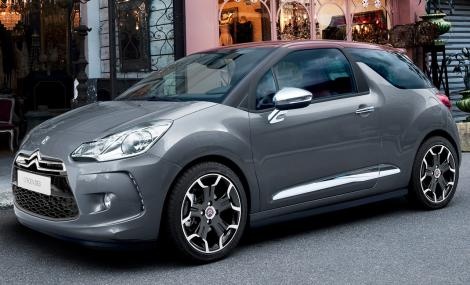
How to reset the service light on the DS3
Model: Citroen Ds3
MK 1
- Years:
2010, 2011, 2012, 2013, 2014, 2015, 2016, 2017, 2018, 2019
Video tutorial
Resetting the service light of the Citroen DS3 car is a simple and quick operation to be performed independently. To reset on a 2020 vehicle, we need to turn on the instrument panel and press the BC button on the left lever of the steering wheel for a few seconds. By keeping the button pressed, we start the reset procedure of the light. We release the button when the onboard computer screen starts flashing. We press the button and once the reset is completed, we restart the instrument panel. In case of need, we contact the nearest workshop for a computerized diagnosis.
Posted on 9 November 2025 by ScegliAuto
Related tutorials
Citroen Ds3
(2010-2019 /
MK 1)
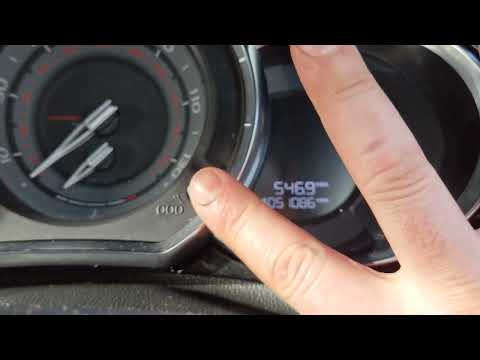
It will be possible to completely remove the Service light of the Citroën DS3 by holding down the button located at the bottom right of the speedomet…
Citroen Ds3
(2010-2019 /
MK 1)
If you own a Citroen DS3 and want to manually reset the service light that keeps coming on every time you start the instrument panel, follow these st…

Citroen Ds3
(2010-2019 /
MK 1)
The reset of the service light of the 2017 Citroen DS3 follows the same steps used for resetting the service light of Peugeot vehicles. In fact, to p…
Other guides you may be interested in
|
How to Open the Fuel Flap on a Volkswagen Tiguan?
To open the fuel flap on a Volkswagen Tiguan, first unlock the car using the appropriate button on the remote. This will open the car and unlock the mechanism that controls the fuel flap. At this point, apply light pressure to the left side of the flap to open it and access the cap underneath. Once this is unscrewed, you can refuel and then close everything. by ScegliAuto More videos
|
|
For advertising on this site Write to info@scegliauto.com
ScegliAuto is not responsible for any inaccuracy of the data in the lists. To report any inaccuracy or your business (if you own the business in question), please write to info@scegliauto.com
Number of seconds to generate the page: 0.047
(c) ScegliAuto 2026 - info@scegliauto.com - Privacy policy VAT number: IT01247470535 |
