
|
Do it yourself
| |||
| ||||


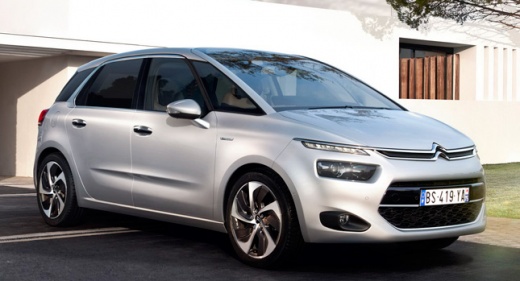
How to Change the Air Conditioning Control Mode on a Citroen C4 Picasso
Model: Citroen C4 Picasso
MK 2
- Years:
2013, 2014, 2015, 2016, 2017, 2018, 2019, 2020, 2021, 2022
Video tutorial
Today, you will learn how to change the air conditioning control mode on a Citroen C4 Picasso II model produced from 2013 to 2022. To perform this operation, turn on the instrument panel and the onboard computer of the Citroen. Select the air conditioning icon on the onboard computer, marked with the A/C symbol. From the air conditioning menu, select the airflow you desire. Once you have chosen the ventilation intensity, return to the main menu. For this operation, it is not necessary to restart the instrument panel for confirmation. You can change the selection whenever you deem necessary.
Posted on 7 February 2026 by ScegliAuto
Related tutorials
Citroen C4 Picasso
(2006-2013 /
MK 1)
The Eco mode of the Citroen C4 Picasso and many other vehicles, designed to reduce harmful emissions, can be disabled if desired. To do this, turn on…

Citroen C4 Picasso
(2006-2013 /
MK 1)
In this tutorial, you will see how to reset the air conditioning in a Citroen C4 Picasso, a very simple and quick operation to perform, for example, …
Citroen C4 Picasso
(2013-2022 /
MK 2)
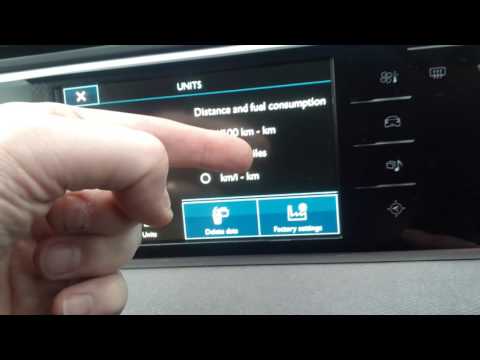
In this brief and simple guide, you will learn how to change the speedometer from miles to kilometres per hour on the Citroen C4 Picasso and C4 Grand…
Other guides you may be interested in
|
Where are the fuses located on the Renault Laguna?
On the Renault Laguna, the fuses are located inside the fuse boxes installed in the vehicle: in this car model, you will find two boxes for containing the fuses. The first is in the fuse box on the left side of the dashboard, accessible by opening the driver's door: here you will find the fuses for the windscreen wipers, fog lights, horn, etc. The second box is located on the right side of the engine compartment: here you will find the fuses for the dipped headlights, radiator fan, alternator, etc. by ScegliAuto More videos
|
|
For advertising on this site Write to info@scegliauto.com
ScegliAuto is not responsible for any inaccuracy of the data in the lists. To report any inaccuracy or your business (if you own the business in question), please write to info@scegliauto.com
Number of seconds to generate the page: 0.031
(c) ScegliAuto 2026 - info@scegliauto.com - Privacy policy VAT number: IT01247470535 |
