
|
Do it yourself
| |||
| ||||


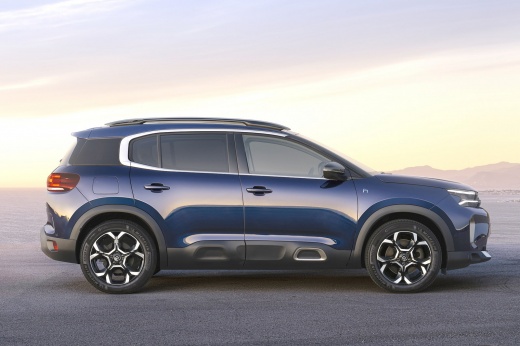
How to Use Apple CarPlay on Citroen C5 AirCross
Model: Citroen C5 Aircross
MK 2
- Years:
2022, 2023, 2024, 2025, 2026
Video tutorial
Let's see how to use Apple CarPlay on the Citroen C5 AirCross. Turn on the vehicle's instrument cluster and connect your iPhone with an original USB cable (or MFi certified) to the car's USB port. Usually, it is the one marked with a smartphone icon or the classic apple logo. If prompted, unlock your iPhone and authorise the connection. Apple CarPlay should automatically launch on the touchscreen display; if not, press the "app" button on the multimedia screen, select the Apple CarPlay icon, and now you can use all compatible apps with your smartphone.
Posted on 19 February 2026 by ScegliAuto
Related tutorials
Citroen C5 Aircross
(2017-2022 /
MK 1)
In this guide, we will help you locate the OBD port inside your Citroen C5 Aircross in just a few seconds and, most importantly, safely. First, open …

Citroen C5 Aircross
(2022-2026 /
MK 2)
In this tutorial, we can see how to reset the remote control in the Citroen C5 Aircross, an extremely simple and quick operation to perform, for exam…

Citroen C5 Aircross
(2017-2022 /
MK 1)
To install the dash cam on the Citroën C5 Aircross, use a tool to pry off the trim panel behind the internal rear-view mirror: here you can install t…
Other guides you may be interested in
|
How to Replace the External Door Handle on a Renault Master
Today's instructions will show you the procedure for removing and replacing the external door handle on the front door of the Renault Master. First, open the front door and start removing the door panel by unscrewing all the fixing screws; then unscrew the handle screws, pulling it out from the outside as shown in the video. At this point, install the new external handle, as well as the original one, checking its proper operation; finally, reassemble the door panel, following the video until the end! by ScegliAuto More videos
|
|
For advertising on this site Write to info@scegliauto.com
ScegliAuto is not responsible for any inaccuracy of the data in the lists. To report any inaccuracy or your business (if you own the business in question), please write to info@scegliauto.com
Number of seconds to generate the page: 0.017
(c) ScegliAuto 2026 - info@scegliauto.com - Privacy policy VAT number: IT01247470535 |
