
|
Do it yourself
| |||
| ||||


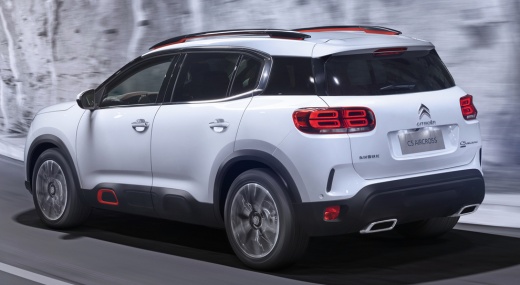
How to Reset the Tyre Pressure Light on the Citroen C5 Aircross?
Model: Citroen C5 Aircross
MK 1
- Years:
2017, 2018, 2019, 2020, 2021, 2022
Video tutorial
If you are unsure how to turn off the tyre pressure light on your Citroen C5 Aircross, you can watch the tutorial video provided here to resolve the issue. Let's begin with the procedure description: turn on the instrument panel, then press the button depicting the car symbol, located below the touchscreen display on the dashboard, access Settings, look for the 'Tyre Initialisation' option and press Yes. From this moment, after a few seconds, the issue will be cleared, thus completely resolving the problem.
Posted on 18 April 2026 by ScegliAuto
Related tutorials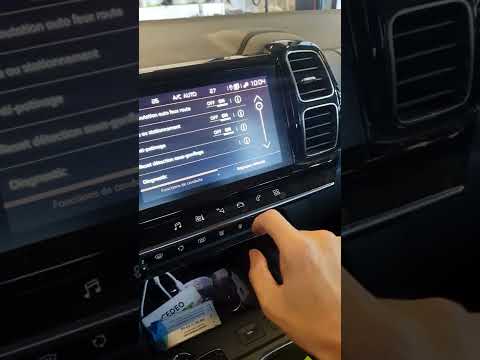
Citroen C5 Aircross
(2017-2022 /
MK 1)
Follow the necessary instructions to reset the tyre pressure warning light on the Citroen C5 Aircross; before performing the reset, ensure all four t…

Citroen C5 Aircross
(2022-2026 /
MK 2)
The tire pressure sensor of the Citroën C5 Aircross can be reset by inflating the tires until they reach the correct pressure value: this value is in…

Citroen C5 Aircross
(2017-2022 /
MK 1)
To reset the tyre pressure warning light on the Citroën C4 Aircross, you need to inflate the tyres to the recommended pressure value: this value is i…
Other guides you may be interested in
|
How to Replace the External Door Handle on a Renault Master
Today's instructions will show you the procedure for removing and replacing the external door handle on the front door of the Renault Master. First, open the front door and start removing the door panel by unscrewing all the fixing screws; then unscrew the handle screws, pulling it out from the outside as shown in the video. At this point, install the new external handle, as well as the original one, checking its proper operation; finally, reassemble the door panel, following the video until the end! by ScegliAuto More videos
|
|
For advertising on this site Write to info@scegliauto.com
ScegliAuto is not responsible for any inaccuracy of the data in the lists. To report any inaccuracy or your business (if you own the business in question), please write to info@scegliauto.com
Number of seconds to generate the page: 0.016
(c) ScegliAuto 2026 - info@scegliauto.com - Privacy policy VAT number: IT01247470535 |
