
|
Do it yourself
| |||
| ||||


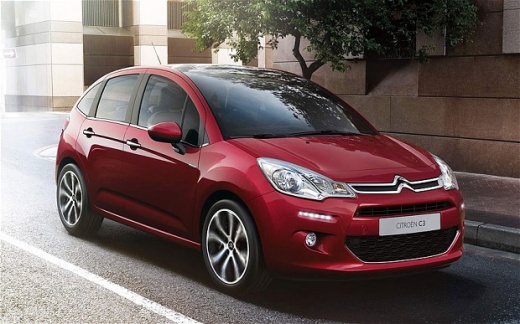
How to Reset the Service Light on a Citroen C3?
Model: Citroen C3
SC
- Years:
2009, 2010, 2011, 2012, 2013, 2014, 2015, 2016
Video tutorial
The manual procedure to reset the service light on the Citroen C3 is so simple that if you have already performed the DIY service, it will be practically a breeze to complete. Sit in the driver's seat and look at the dashboard; you will notice a button on the right side for resetting the service light. Hold it down while starting the car, wait about 10 seconds, and then release it. If you have done everything correctly, the light has been reset, and to verify it, simply turn off and then turn on the ignition.
Posted on 13 October 2026 by ScegliAuto
Related tutorials
Citroen C3
(2009-2016 /
SC)
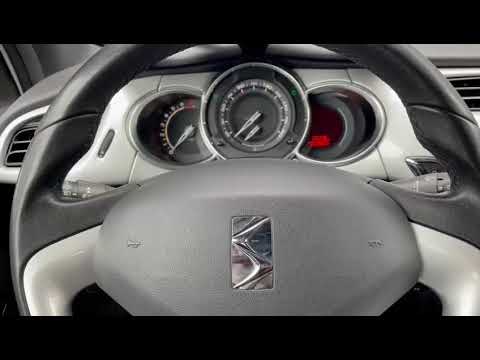
The Service indicator that is shown on the instrument panel of the Citroën C3 can be reset completely by holding down the button located at the botto…
Citroen C3
(2009-2016 /
SC)
To reset the Service light of the Citroën C3, press and hold the button located at the bottom right of the speedometer. While holding it, turn the ke…

Citroen C3
(2009-2016 /
SC)
To reset the Service light on the Citroën C3, press and hold the button located in the centre of the instrument cluster, immediately below and to the…
Other guides you may be interested in
|
Frequently Asked QuestionsHow to Replace the Cabin Filter on the Ford Puma
To replace the cabin filter on the Ford Puma, detach the small cover located on the left side of the front passenger footwell: once this is removed, loosen the underlying screw so that you can detach the corresponding panel. At this point, locate the filter box underneath, which can be opened to remove the filter inside. The new filter can then be inserted, covering everything with the box and refitting the corresponding panel into its housing. by ScegliAuto More videos
|
|
For advertising on this site Write to info@scegliauto.com
ScegliAuto is not responsible for any inaccuracy of the data in the lists. To report any inaccuracy or your business (if you own the business in question), please write to info@scegliauto.com
Number of seconds to generate the page: 0.085
(c) ScegliAuto 2026 - info@scegliauto.com - Privacy policy VAT number: IT01247470535 |
