
|
Do it yourself
| |||
| ||||


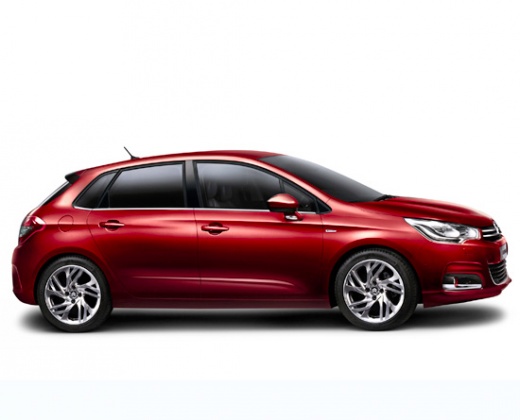
How to Adjust the Clock of the Citroen C4
Model: Citroen C4
MK 2
- Years:
2010, 2011, 2012, 2013, 2014, 2015, 2016, 2017, 2018
Video tutorial
Today, we will discover how to adjust the time and date of the Citroen C4. First, get in the vehicle and turn on the instrument panel; then go to the menu option and subsequently to the time and date settings, as illustrated in the video. Now set the date and time format, selecting either 12-hour or 24-hour format. Once the correct time is set, press the "ok" button to confirm and save the changes, then press the "esc" button to exit the settings.
Updated on 19 July 2026 by ScegliAuto
Related tutorials
Citroen C4
(2010-2018 /
MK 2)
In this video tutorial, you will see the steps to adjust the clock on the Citroen C4, following the instructions provided below. First, get into the …

Citroen C4
(2010-2018 /
MK 2)
To adjust the clock of the Citroën C4, you need to turn on the instrument panel by inserting the ignition key into the corresponding slot: once the p…

Citroen C4
(2004-2010 /
MK 1)
To adjust the clock on a Citroën C4, turn on the instrument cluster by inserting the key into the ignition barrel. Once the ignition is on, navigate …
Other guides you may be interested in |
How to Remove the Front Bumper on a Citroen C4 Picasso?
In this tutorial, see how to replace the front bumper on a Citroen C4 Picasso, a very simple and quick operation. First, open the bonnet, then locate the rivets on the upper edge of the grille and, using a flat-head screwdriver, remove them. Next, move underneath the bumper, unscrew all the fixing bolts, and proceed to remove the last screws, accessible from inside the wheel arches. At this point, grasp the bumper from one of the two ends, pull it outwards, and separate it from the chassis. by ScegliAuto More videos
|
|
For advertising on this site Write to info@scegliauto.com
ScegliAuto is not responsible for any inaccuracy of the data in the lists. To report any inaccuracy or your business (if you own the business in question), please write to info@scegliauto.com
Number of seconds to generate the page: 0.051
(c) ScegliAuto 2026 - info@scegliauto.com - Privacy policy VAT number: IT01247470535 |
