
|
Do it yourself
| |||
| ||||


How to Change the Date and Time on a Citroen C4 Cactus
Model: Citroen C4
Cactus
- Years:
2014, 2015, 2016, 2017, 2018, 2019, 2020
Video tutorial
Today, see the instructions to change the date and time on a Citroen C4 Cactus. First, get inside the vehicle and switch on the instrument cluster; then go to the settings menu on the central display, clicking on the clock to set the time and date as shown in the video. At this point, also set the format for the time and date, then exit the settings to save the changes made; switch off the ignition and start the engine, checking the changes made!
Posted on 5 August 2026 by ScegliAuto
Related tutorials
Citroen C4
(2014-2020 /
Cactus)
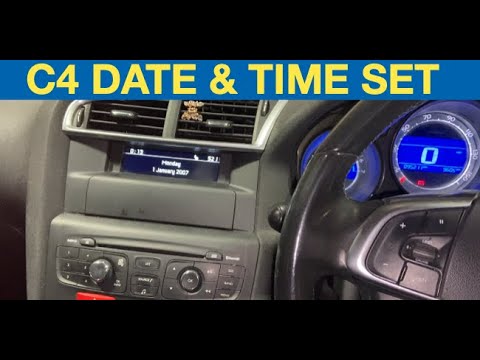
In this video, we see how to change the time on a Citroen C4 Cactus, an operation that we must do from the multimedia screen: we must go to the right…
Citroen C4
(2010-2018 /
MK 2)
Let’s see how to change the time and date on a second-generation Citroen C4, produced from 2010 to 2018, with this very short tutorial. To start, tur…

Citroen C4
(2010-2018 /
MK 2)
Today, we will discover how to adjust the time and date of the Citroen C4. First, get in the vehicle and turn on the instrument panel; then go to the…
Other guides you may be interested in
|
How to Reset the SOS System Error on the Audi A4
This guide provides information on how to restore the functionality of the SOS emergency call system on the Audi A4. The SOS system is now available on almost all models from the manufacturer; one of the most common issues is related to the malfunction of the SOS system, for which we will outline possible solutions. The issue can sometimes be resolved by resetting the MMI multimedia system by holding down the power button; otherwise, it will be necessary to perform a diagnostic check at the nearest service center. by ScegliAuto More videos
|
|
For advertising on this site Write to info@scegliauto.com
ScegliAuto is not responsible for any inaccuracy of the data in the lists. To report any inaccuracy or your business (if you own the business in question), please write to info@scegliauto.com
Number of seconds to generate the page: 0.060
(c) ScegliAuto 2026 - info@scegliauto.com - Privacy policy VAT number: IT01247470535 |
