
|
Do it yourself
| |||
| ||||


Resetting the Service Light on a Citroen C4 Cactus
Model: Citroen Cactus
MK 1
- Years 2014-2020
After servicing your Citroen C4 Cactus, you will also need to reset the service light. This tutorial shows you how to perform this operation simply and quickly. First, press and hold the end button on the left stalk of the steering wheel, then turn on the ignition without starting the engine. You will see a countdown appear on the information display of the speedometer, so continue to hold the end button until the time expires to complete the reset.
Updated on 8 September 2026 by ScegliAuto
Video tutorial
Related tutorials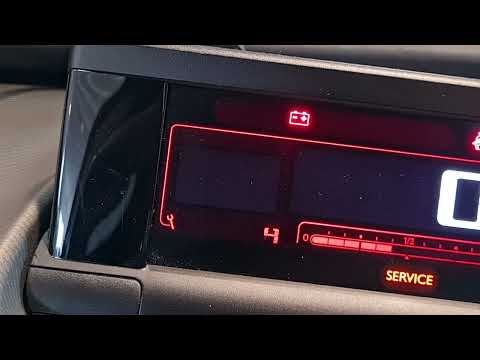
Citroen Cactus
(2014-2020 /
MK 1)
Resetting the service light on the Citroen Cactus follows the same simple and quick steps used for other Citroen models. To reset the service light, …
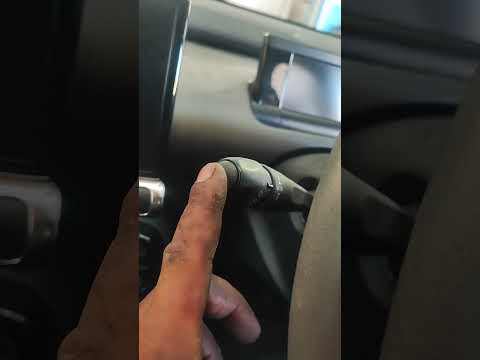
Citroen Cactus
(2014-2020 /
MK 1)
Resetting the service light for the 2016 Citroen Cactus involves simple and quick steps. Before resetting the light, ensure you have completed the ne…
Citroen Cactus
(2014-2020 /
MK 1)
As shown in this tutorial, resetting the service light in a Citroen C4 Cactus is a quick and easy operation. Before proceeding, ensure all scheduled …
Other guides you may be interested in
|
How to Open the Bonnet on the Lancia Y
To open the bonnet on this vehicle, follow these simple instructions: first, open the driver's door and locate the lever positioned just below the dashboard, marked with an image of the vehicle with the bonnet open. Pull this lever towards you until you hear a "click" indicating the bonnet is released. Next, exit the cabin and stand in front of the bonnet to disengage the safety catch and complete the opening. To do this, slightly lift the bonnet, locate the yellow lever underneath, and pull it to the left to fully release and open the bonnet. by ScegliAuto More videos
|

|
For advertising on this site Write to info@scegliauto.com
ScegliAuto is not responsible for any inaccuracy of the data in the lists. To report any inaccuracy or your business (if you own the business in question), please write to info@scegliauto.com
Number of seconds to generate the page: 0.641
(c) ScegliAuto 2026 - info@scegliauto.com - Privacy policy VAT number: IT01247470535 |
