
|
Do it yourself
| |||
| ||||


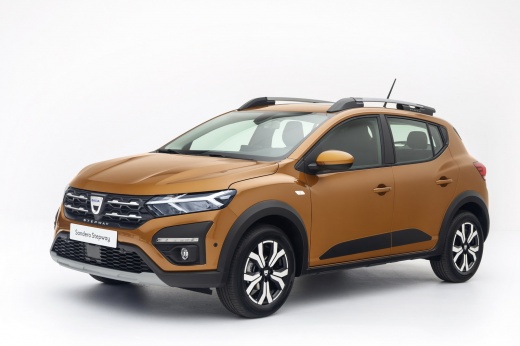
Which Bulbs to Install on the Front Headlamp of the Dacia Sandero
Model: Dacia Sandero
MK 3
- Years:
2021, 2022, 2023, 2024, 2025, 2026
Video tutorial
In this video, see which bulbs to install on the Dacia Sandero for a straightforward replacement: nothing can be done about the LED strip that lights up when the headlamp is turned on; if it gets damaged, the entire headlamp unit must be replaced. Fortunately, access is quite good through a rubber cap; first, locate the main beam bulb, which is an H7 LED (the Melograno 51); for the indicator, rotate the long lever to find a PY21W in orange. The fog light bulb is accessible from underneath via a cap; rotate the bulb counterclockwise: it is an H16 LED, also from Melograno.
Updated on 26 October 2026 by ScegliAuto
Related tutorials
Dacia Sandero
(2008-2012 /
BS)
Are the front headlamp bulbs on your Dacia Logan blown? Let's replace them. Open the bonnet by pulling the lever located at the bottom right of the d…

Dacia Sandero
(2008-2012 /
BS)
Learn how to remove the bulbs fitted in the front headlamp on a Dacia Sandero. Open the bonnet by pulling the lever located at the bottom right of th…

Dacia Sandero
(2012-2020 /
B8)
In this video, you will see how to remove and replace the front headlamp bulbs on a second series Dacia Sandero in simple steps. First, open the bonn…
Other guides you may be interested in
|
How to open the bonnet on a Volkswagen Golf?
In this tutorial, you will see how to open the bonnet on a Volkswagen Golf MK4. This is a very simple operation that follows the standard procedure. First, open the driver's door, then locate the lever in the lower left area and pull it. Next, move to the front of the vehicle, lift the bonnet slightly, and find the second lever located just above the Volkswagen logo. At this point, simply pull it towards you, fully open the bonnet, and secure it with the prop rod. To close it, gently push it down. by ScegliAuto More videos
|
|
For advertising on this site Write to info@scegliauto.com
ScegliAuto is not responsible for any inaccuracy of the data in the lists. To report any inaccuracy or your business (if you own the business in question), please write to info@scegliauto.com
Number of seconds to generate the page: 0.069
(c) ScegliAuto 2026 - info@scegliauto.com - Privacy policy VAT number: IT01247470535 |
