
|
Do it yourself
| |||
| ||||


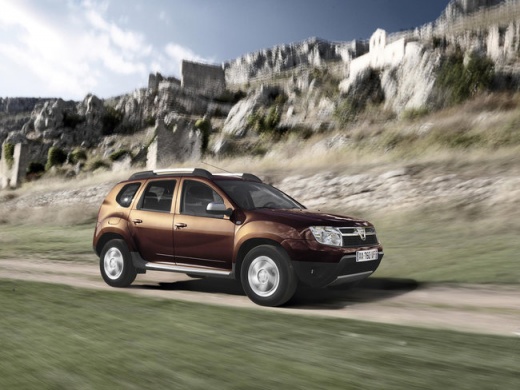
How to activate the ECO mode of the Dacia Duster
Model: Dacia Duster
MK 1, HS
- Years:
2010, 2011, 2012, 2013, 2014, 2015, 2016, 2017
Video tutorial
Today we will explain how to activate and deactivate the ECO mode on a Dacia Duster vehicle. To activate the ECO mode, we need to press the button with the same wording on the dashboard. By keeping the button pressed, the display will confirm that the mode is active. During driving, it is possible to temporarily deactivate the function by firmly pressing the accelerator pedal. To deactivate the mode, it is necessary to press the same button. The display will confirm that the mode is deactivated. It is not necessary to use any external instrumentation or restart the instrument panel during the activation or deactivation procedure.
Posted on 18 August 2025 by ScegliAuto
Related tutorials
Dacia Duster
(2017-2024 /
MK 2, HM)
Below are the instructions to activate and deactivate the Start&Stop system on the Dacia Duster in simple steps. First, get in the vehicle and start …
Dacia Duster
(2010-2017 /
MK 1, HS)
Before you start, sit in the driver's seat of your Dacia Duster. Begin by starting the engine, turning the key in the ignition. Next, press and hold …

Dacia Duster
(2017-2024 /
MK 2, HM)
From the display of the Dacia Duster, it will be possible to completely turn off the Service light by inserting the ignition key into the correspondi…
Other guides you may be interested in
|
Frequently Asked QuestionsHow to Set the Date and Time on the Iveco Daily
Today, we will see in this video tutorial how to change the date and time on the Iveco Daily. First, get into the vehicle and turn on the instrument panel; then go to the vehicle settings on the central display, pressing the relevant option for date and time. At this point, press the "set" button located at the top, using the physical arrow buttons to set both the date and time; finally, exit the onboard computer menu to save the changes made! by ScegliAuto More videos
|
|
For advertising on this site Write to info@scegliauto.com
ScegliAuto is not responsible for any inaccuracy of the data in the lists. To report any inaccuracy or your business (if you own the business in question), please write to info@scegliauto.com
Number of seconds to generate the page: 0.017
(c) ScegliAuto 2026 - info@scegliauto.com - Privacy policy VAT number: IT01247470535 |
