
|
Do it yourself
| |||
| ||||


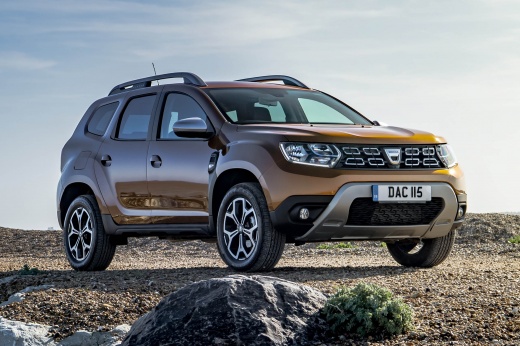
How to Reset the Service Light on the Dacia Duster
Model: Dacia Duster
- Years:
2017, 2018, 2019, 2020, 2021, 2022, 2023, 2024
Video tutorial
Updating the mileage for the next service on a Dacia Duster produced from 2017 onwards is a simple and quick procedure. First, you must perform the service; otherwise, resetting may damage the sensors. After completing the service, start the reset procedure by pressing the menu button on the left stalk of the steering wheel. Access the 'General Settings' via the onboard computer, from which you will select the 'Service' option. Update the mileage for the next service by pressing 'Reset', and after waiting for it to load, return to the main menu and restart the dashboard.
Posted on 21 October 2026 by ScegliAuto
Related tutorials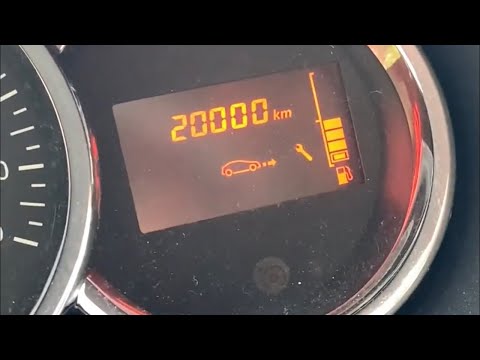
Dacia Duster
(2010-2017 /
MK 1, HS)
Before you can start, sit in the driver's seat of your Dacia Duster. Begin by activating the instrument cluster by simply turning the key in the igni…

Dacia Duster
(2017-2024 /
MK 2, HM)
Today we will see the necessary instructions in order to reset the service light for the regular maintenance of the Dacia Duster. First of all, we ge…

Dacia Duster
(2017-2024 /
MK 2, HM)
How to reset the maintenance light when it comes on in a Dacia Duster? The maintenance light indicates when a service is due after a certain distance…
Other guides you may be interested in
|
How to Disable the Safe Lock on a Volkswagen Golf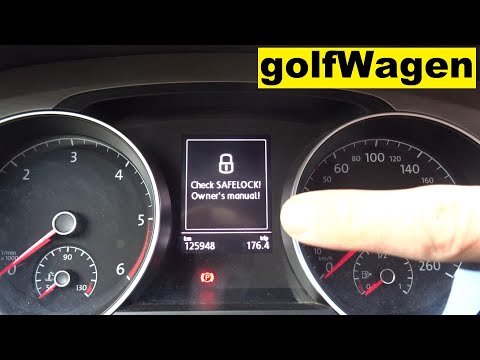
The safe lock is an anti-theft system that prevents thieves from accessing the vehicle. This device locks the doors, both externally and internally, when the driver activates the central locking remote after leaving the vehicle. To disable it permanently, you need to use a diagnostic program like VCDS, which connects to the vehicle via the OBDII port. Wait for the connection and recognition of the control unit, then select the locks present and locate the safe lock to disable it. The job will then be complete. by ScegliAuto More videos
|
|
For advertising on this site Write to info@scegliauto.com
ScegliAuto is not responsible for any inaccuracy of the data in the lists. To report any inaccuracy or your business (if you own the business in question), please write to info@scegliauto.com
Number of seconds to generate the page: 0.039
(c) ScegliAuto 2026 - info@scegliauto.com - Privacy policy VAT number: IT01247470535 |
