
|
Do it yourself
| |||
| ||||


How do I reset the uConnect system on the Dodge Charger?
Model: Dodge Charger
LD
- Years 2011-2023
In order to reset the uConnect system of the Dodge Charger, you need to turn on the instrument panel and hold down the buttons to raise and lower the temperature for a few seconds. You will need to keep them pressed until a menu appears in which you need to select the "Reset to factory default" item. This will bring up a screen where you are asked to confirm the operation. By selecting "Ok" it will be possible to confirm the reset and it will be necessary to wait about 30 seconds for this to be completed. After the reset it will be possible to switch the ignition off and on again to check it.
Posted on 8 May 2022 by ScegliAuto
This video is currently unavailable
Related tutorials
Dodge Charger
(2011-2023 /
LD)
To reset the uconnect system of the Dodge, we start by turning on the car's instrument panel, and if the infotainment system is off, we turn it on. O…

Dodge Charger
(2011-2023 /
LD)
In this video we see how to reset the Uconnect system in the Dodge Charger; this guide is also good for other models, since it is a car radio common …

Dodge Charger
(2011-2023 /
LD)
In this guide we will see useful information on how to reset and restore the radio and multimedia system Uconnect of the Dodge Charger, in simple ste…
Other guides you may be interested in
|
How to Reset Service Light on Fiat 500L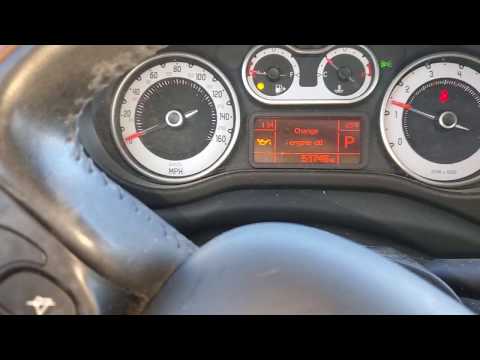
How to remove the service light on a Fiat 500L? Let's see how to do it. Enter the vehicle and turn on the instrument panel. Press the accelerator pedal six times in a row, then release the pedal. Turn off the instrument panel and remove the key from the ignition. Reinsert the key and turn on the instrument panel, then wait for it to illuminate. Check the changes made to the car and see if the light has disappeared. Always remember to carry out onboard computer modifications with the engine off. Perform the reset safely. by ScegliAuto More videos
|
|
For advertising on this site Write to info@scegliauto.com
ScegliAuto is not responsible for any inaccuracy of the data in the lists. To report any inaccuracy or your business (if you own the business in question), please write to info@scegliauto.com
Number of seconds to generate the page: 0.064
(c) ScegliAuto 2026 - info@scegliauto.com - Privacy policy VAT number: IT01247470535 |
