
|
Do it yourself
| |||
| ||||


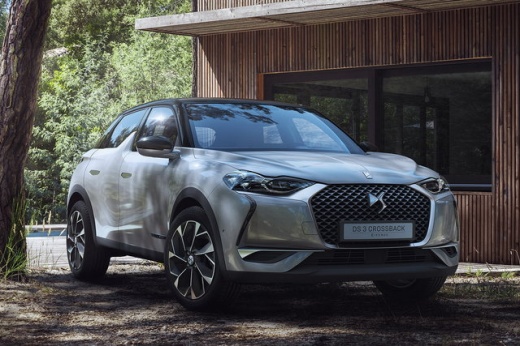
How to Reset the Tyre Warning Light on the DS 3 Crossback E-Tense?
Model: DS DS 3
- Years:
2018, 2019, 2020, 2021, 2022, 2023, 2024, 2025, 2026
Video tutorial
In this tutorial, you will see how to reset the tyre warning light on the DS 3 Crossback E-Tense, a very simple and quick operation, to be performed only after restoring the correct pressure of each tyre following the instructions in the manual. First, go inside the cabin, then turn on the instrument cluster and navigate to the main screen on the touchscreen display. Next, go to "Settings", "Vehicle", "Safety", "Tyre Pressure Configuration", and confirm the reset. To complete the procedure, simply restart the cluster.
Posted on 14 October 2026 by ScegliAuto
Related tutorials
DS DS 3
(2018-2026 /
MK 2)
Resetting the service in the DS 3 Crossback, as we can see in this tutorial, is an extremely simple and quick operation. Before proceeding, we must h…

DS DS 3
(2018-2026 /
MK 2)
In order to program the key of the DS 3 Crossback, you need to insert the blank key into the corresponding slot: this will also allow you to connect …

DS DS 3
(2018-2026 /
MK 2)
In this video, we see how to change the battery of the Citroen DS3 Crossback remote control: on the back of the remote control, there is a slot where…
Other guides you may be interested in
|
How to Open a Stuck Trunk on a Mercedes C-Class W205
Like all modern vehicles, the Mercedes C-Class has the option to open the trunk from the inside. If the trunk does not open from the outside, you can enter the vehicle and, by pressing the button located on the top of the backrest, fold down the center seat. From here, you can lower the other two seatbacks to create a flat surface, allowing you to slide down to the internal trunk lock. Here, you will see a black handle that, when lifted, will give you access to a strap. Pulling the strap will allow you to reach the lever of the internal mechanism. Simply lift it to allow the trunk to open. by ScegliAuto More videos
|
|
For advertising on this site Write to info@scegliauto.com
ScegliAuto is not responsible for any inaccuracy of the data in the lists. To report any inaccuracy or your business (if you own the business in question), please write to info@scegliauto.com
Number of seconds to generate the page: 0.020
(c) ScegliAuto 2026 - info@scegliauto.com - Privacy policy VAT number: IT01247470535 |
