
|
Do it yourself
| |||
| ||||


Model: Ducati 1260s
If the display on your Ducati Multistrada 1260 shows an incorrect time and you want to change it manually, follow these simple steps. First, turn on the bike's ignition and press the "Mode/Enter" button several times. Once you find the "Menu" option on the display, select it and scroll down to find the "Date and clock" option. Next, select "Clock" and proceed to manually set the hour and minute digits. Once finished, go back to save the changes and turn off the bike's ignition.
Updated on 28 July 2026 by ScegliAuto
Video tutorial
Related tutorials
1260s
In this video, see how to reset the service light on the Ducati 1260s Multistrada using the OBD STAR diagnostic tool: this is a professional tool ava…

1260s
Start the motorcycle for a few minutes to warm up the engine and the oil. This will make the lubricant less viscous and facilitate its drainage. Unsc…
|
How to Replace the Battery in a Yamaha Vino 125 Scooter?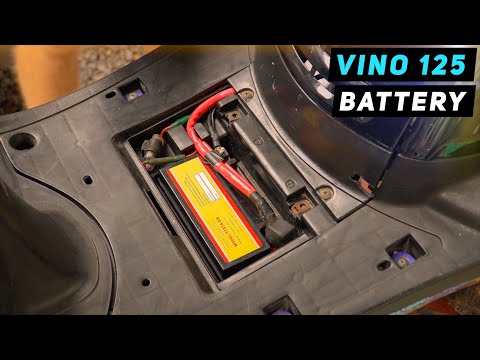
In this tutorial, you will see how to replace the battery in a Yamaha Vino 125 scooter, a very simple and quick operation. First, ensure that the key is not inserted for safety. Then, lift the rubber mat and, using a simple cross-head screwdriver, unscrew the two screws securing the plastic cover. Once opened, disconnect both terminals, starting with the negative, and remove the battery from its housing. To fit the replacement, simply follow the reverse procedure. by ScegliAuto More videos
|
|
For advertising on this site Write to info@scegliauto.com
ScegliAuto is not responsible for any inaccuracy of the data in the lists. To report any inaccuracy or your business (if you own the business in question), please write to info@scegliauto.com
Number of seconds to generate the page: 0.007
(c) ScegliAuto 2026 - info@scegliauto.com - Privacy policy VAT number: IT01247470535 |
