
|
Do it yourself
| |||
| ||||


How to Replace the Rear Brake Pads on a Ducati Monster 600
Model: Ducati Monster 600
Video tutorial
To replace the rear brake pads on a Ducati Monster 600, loosen the screws that secure the brake caliper to its housing. Once these screws are loosened, you can completely detach the caliper from its housing, allowing the pads inside to be removed. After removing the old pads, insert the new ones into their housing, reposition the caliper onto the corresponding disc, and after installation, check that everything functions correctly.
Updated on 8 September 2026 by ScegliAuto
Related tutorials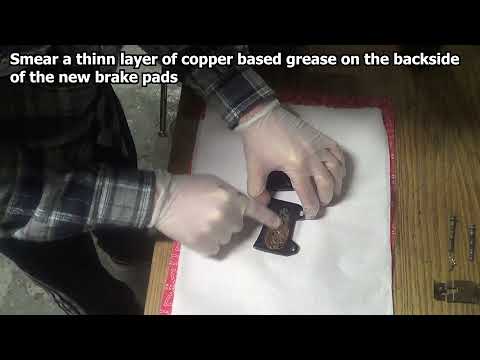
Monster 600
In today's video tutorial, see how to remove and replace the front brake pads on a Ducati Monster 600 in simple and quick steps. First, place the bik…

Monster 600
In this video, see the steps to remove and replace the front brake pads on a Ducati Monster 600, as well as on the 750 and 900 models. First, remove …
Monster 600
Before you can start, position your Ducati Monster 600 on the side stand. Begin by removing the left exhaust end can by unscrewing the relevant secur…
|
How to Adjust the Clock on a Harley Davidson Motorcycle
In this video, you can see how to adjust the clock on a Harley Davidson motorcycle: first, turn on the ignition, then use the button located on the left handlebar. The display will show three lights: the ABS, the engine warning light, and the oil light, which will turn off in a few seconds. Pressing the button on the left handlebar will scroll through various information until you reach the time; if you need to adjust it by one hour due to the change from standard to daylight saving time or vice versa, hold down the button and you will be given an option to set the time in either 12 or 24-hour format; press again and adjust the hour if necessary, then it will move to the minutes: confirm by pressing again and you’re done. by ScegliAuto More videos
|
|
For advertising on this site Write to info@scegliauto.com
ScegliAuto is not responsible for any inaccuracy of the data in the lists. To report any inaccuracy or your business (if you own the business in question), please write to info@scegliauto.com
Number of seconds to generate the page: 0.006
(c) ScegliAuto 2026 - info@scegliauto.com - Privacy policy VAT number: IT01247470535 |
