
|
Do it yourself
| |||
| ||||


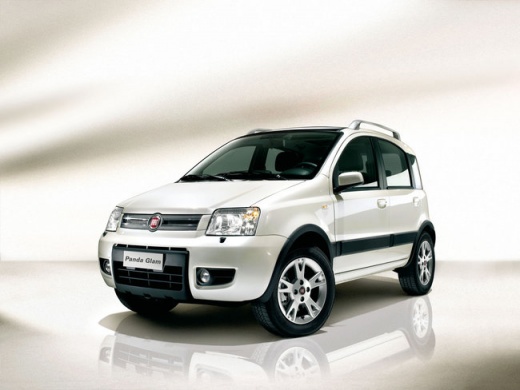
How do you install Bluetooth in the Fiat Panda?
Model: Fiat Panda
169, MK 2
- Years:
2003, 2004, 2005, 2006, 2007, 2008, 2009, 2010, 2011, 2012
Video tutorial
The Bluetooth data receiving and sending mode allows users to exchange files, listen to music from a USB stick or other memory source, etc. In newer cars, this feature is now standard, making it very convenient for hands-free phone calls, while in older cars you may need to equip yourself with it. How? Very simple, as explained in the video, by using a frequency transmitter, namely Bluetooth, which must be connected to the 12-volt socket and connected to the frequency provided by it, to be searched for in the car radio. Once this is done, nothing else is needed, the devices will communicate with each other.
Posted on 18 March 2025 by ScegliAuto
Related tutorials
Fiat Panda
(2012-2026 /
319, MK 3)
To connect your smartphone to the Bluetooth radio of the Fiat Panda, turn on the instrument cluster by turning the key: this will allow you to naviga…

Fiat Panda
(2012-2026 /
319, MK 3)
The steps outlined in this guide will show you how to activate and connect Bluetooth on the Fiat Panda, following the instructions below. First, get …

Fiat Panda
(2012-2026 /
319, MK 3)
Following these simple steps, we will see how to connect our smartphone to the multimedia system via Bluetooth on the Fiat Panda. First, we get on bo…
Other guides you may be interested in |
How to Open the Fuel Filler Flap in the Hyundai i30?
In this tutorial, you will learn how to open the fuel filler flap in the Hyundai i30, a very simple operation that follows the typical procedure of most vehicles. First, unlock the locks using the designated button on the remote, then open the driver's door, locate the release lever on the left side of the seat, and operate it. Next, move to the fuel filler flap, open it completely, unscrew the cap, and refuel as needed. To close the flap, simply press it gently. by ScegliAuto More videos
|
|
For advertising on this site Write to info@scegliauto.com
ScegliAuto is not responsible for any inaccuracy of the data in the lists. To report any inaccuracy or your business (if you own the business in question), please write to info@scegliauto.com
Number of seconds to generate the page: 0.009
(c) ScegliAuto 2026 - info@scegliauto.com - Privacy policy VAT number: IT01247470535 |
