
|
Do it yourself
| |||
| ||||


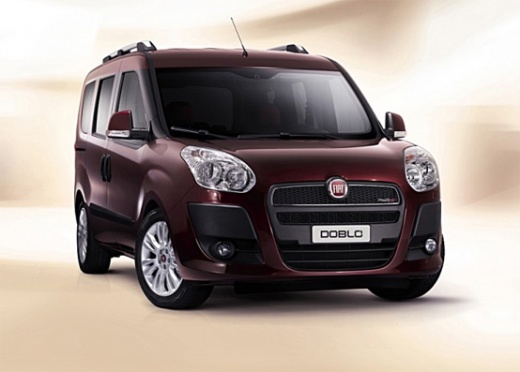
How to install an Android head unit in a Fiat Doblò Mk2
Model: Fiat Doblo
- Years:
2009, 2010, 2011, 2012, 2013, 2014, 2015, 2016, 2017, 2018, 2019, 2020
Video tutorial
To install an Android head unit in a Fiat Doblò Mk2, remove the old head unit using the removal keys and disconnect the wiring at the rear. Remove the original trim around the climate controls, then undo the T25 screws securing the centre console. Transfer the buttons and air vents from the old trim to the new trim supplied with the head unit. If necessary, trim away excess material so the parts fit. No specific product is recommended, as a wide range of Android head units is available online to suit different requirements. Fit the air vents and buttons into the new trim. Connect the main power supply, aerial, GPS, USB and CAN bus decoder, which controls the steering-wheel buttons' power-on and power-off functions. Switch on the head unit and open the "factory setting" menu. The code is usually 8888. Set the CAN bus protocol, then restart the head unit. Check the steering-wheel controls, door-open display, lights, automatic switch-on, audio and aerial.
Posted on 24 November 2026 by ScegliAuto
Related tutorials
Fiat Doblo
(2000-2009 /
MK 1, Doblo 1, 223)
Before starting, sit in the driver's seat of your Fiat Doblo. Begin by inserting the extraction keys into the holes on the front of the radio to rele…

Fiat Doblo
(2009-2021 /
Doblo 2, 263, MK 2)
Replace the radio in a Fiat Doblo if you want to change it or if it is damaged. Use the original metal keys to remove the stereo. Insert the keys int…

Fiat Doblo
(2009-2021 /
Doblo 2, 263, MK 2)
These brief and simple instructions will guide you on how to remove and replace the standard radio in a Fiat Doblò. First, get inside the vehicle and…
ScegliAuto offers an extensive international collection of automotive tutorials available in 12 languages. Each guide combines instructional videos with original explanations written by experienced human editors, along with information about the car models covered.
Other guides you may be interested in
|
How to Open the Bonnet of the Peugeot 206
Today's guide will show you the procedure necessary to open the bonnet of the Peugeot 206 in simple and quick steps. First, open the driver's front door and start pulling the small lever that releases the bonnet lock (located at the bottom); then move to the front of your car and lift the tab found in the centre of the bonnet (near the manufacturer's badge), as shown in the video. At this point, secure the prop rod on the bonnet to hold it up, ensuring it is perfectly inserted! by ScegliAuto More videos
|
|
For advertising on this site Write to info@scegliauto.com
ScegliAuto is not responsible for any inaccuracy of the data in the lists. To report any inaccuracy or your business (if you own the business in question), please write to info@scegliauto.com
Number of seconds to generate the page: 0.082
(c) ScegliAuto 2026 - info@scegliauto.com - Privacy policy - About us VAT number: IT01247470535 |
