
|
Do it yourself
| |||
| ||||


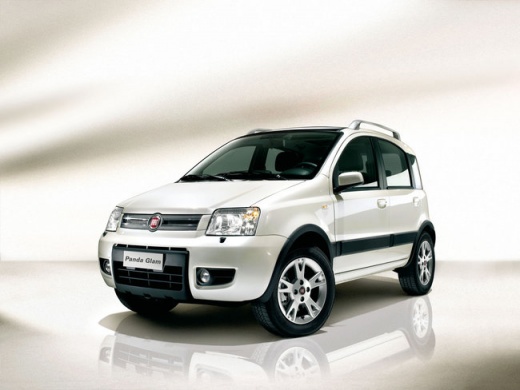
How to Replace the Dipped Beam Bulbs in a Fiat Panda
Model: Fiat Panda
169, MK 2
- Years:
2003, 2004, 2005, 2006, 2007, 2008, 2009, 2010, 2011, 2012
Video tutorial
This short video will show you how to remove the old H4 bulbs for the dipped beams in your Fiat Panda and replace them with new bulbs. This is a simple and quick operation that does not require special tools. After opening the front bonnet, simply remove the cover located at the back of each of the two bulbs (left and right) by pulling the tab. Next, undo the old H4 dipped beam bulbs and insert the new ones. In just a few minutes and a few simple steps, you will have brand new bulbs!
Updated on 31 March 2026 by ScegliAuto
Related tutorials
Fiat Panda
(2012-2026 /
319, MK 3)
This video tutorial demonstrates how to replace the dipped beam bulbs on a third-generation Fiat Panda, produced from 2012 to 2022. First, open the b…

Fiat Panda
(2012-2026 /
319, MK 3)
In this guide, you will discover the instructions that will allow you to replace the front headlamp bulb of the Fiat Panda. First, open the engine co…

Fiat Panda
(2012-2026 /
319, MK 3)
Today, you will discover the instructions that will allow you to remove and replace the dipped and main beam bulbs of the front headlights on a Fiat …
Other guides you may be interested in |
Where are the fuses located on the Renault Laguna?
On the Renault Laguna, the fuses are located inside the fuse boxes installed in the vehicle: in this car model, you will find two boxes for containing the fuses. The first is in the fuse box on the left side of the dashboard, accessible by opening the driver's door: here you will find the fuses for the windscreen wipers, fog lights, horn, etc. The second box is located on the right side of the engine compartment: here you will find the fuses for the dipped headlights, radiator fan, alternator, etc. by ScegliAuto More videos
|
|
For advertising on this site Write to info@scegliauto.com
ScegliAuto is not responsible for any inaccuracy of the data in the lists. To report any inaccuracy or your business (if you own the business in question), please write to info@scegliauto.com
Number of seconds to generate the page: 0.015
(c) ScegliAuto 2026 - info@scegliauto.com - Privacy policy VAT number: IT01247470535 |
