
|
Do it yourself
| |||
| ||||


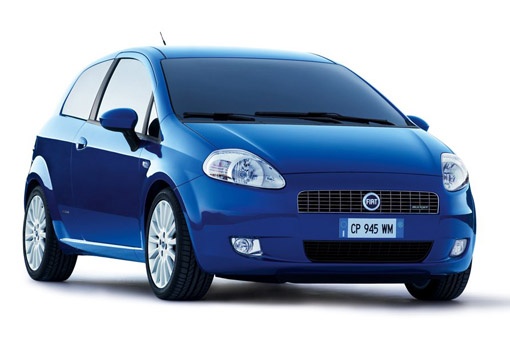
How to Change the Car Radio on a Fiat Grande Punto?
Model: Fiat Punto
199, MK 3, Grandepunto , Punto EVO
- Years:
2005, 2006, 2007, 2008, 2009, 2010, 2011, 2012, 2013, 2014, 2015, 2016
Video tutorial
Today, learn how to remove the car radio from a Fiat Grande Punto (199). This operation is really simple; you just need to have the radio release keys and a couple of minutes available. First, ensure the car is turned off. Then, take the release keys and insert them fully into the appropriate holes on the radio. Next, slightly widen the keys to extract the radio by pulling it towards you. This video is applicable to all Fiat Grande Punto and Fiat Grande Punto Evo models produced from 2005 to 2018.
Updated on 31 May 2026 by ScegliAuto
Related tutorials
Fiat Punto
(2005-2018 /
199, MK 3, Grandepunto , Punto EVO)
In this tutorial, you will learn how to remove the standard radio from a Fiat Grande Punto by following the instructions below. First, get inside the…

Fiat Punto
(2005-2018 /
199, MK 3, Grandepunto , Punto EVO)
Today, we will look at the instructions to install the AUX cable preparation on the Fiat Grande Punto's radio, as well as on the Punto Evo. First, ge…
Fiat Punto
(2005-2018 /
199, MK 3, Grandepunto , Punto EVO)
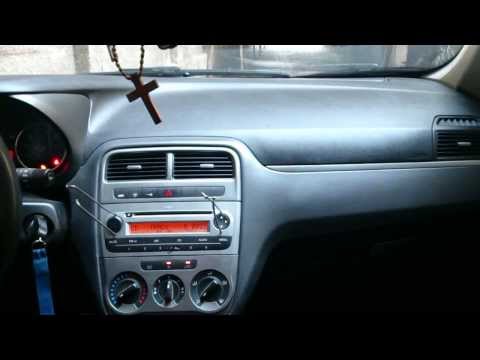
Do you want to remove the radio from the Grande Punto? Here’s how to take out the radio from the central console using the keys. Insert the keys into…
Other guides you may be interested in |
How to Open the Fuel Filler Flap in the Hyundai i30?
In this tutorial, you will learn how to open the fuel filler flap in the Hyundai i30, a very simple operation that follows the typical procedure of most vehicles. First, unlock the locks using the designated button on the remote, then open the driver's door, locate the release lever on the left side of the seat, and operate it. Next, move to the fuel filler flap, open it completely, unscrew the cap, and refuel as needed. To close the flap, simply press it gently. by ScegliAuto More videos
|
|
For advertising on this site Write to info@scegliauto.com
ScegliAuto is not responsible for any inaccuracy of the data in the lists. To report any inaccuracy or your business (if you own the business in question), please write to info@scegliauto.com
Number of seconds to generate the page: 0.101
(c) ScegliAuto 2026 - info@scegliauto.com - Privacy policy VAT number: IT01247470535 |
