
|
Do it yourself
| |||
| ||||


Video tutorial
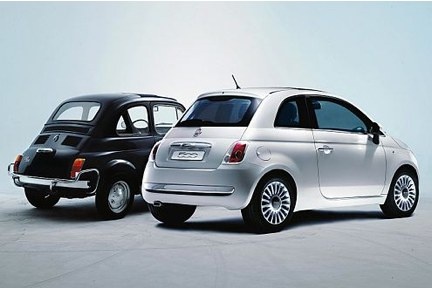
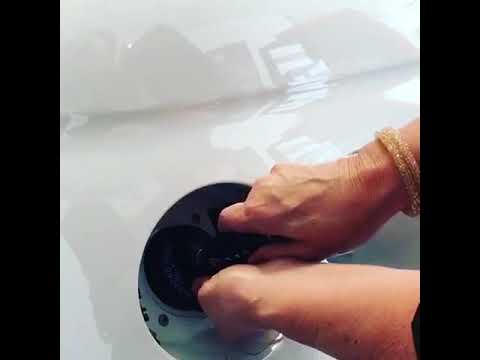
This video shows how to open and close the fuel filler cap on both the Fiat 500 and other vehicle models. For some cars, once the flap is opened, after unlocking the central locking of the vehicle, the cap needs to be unscrewed. However, on the Fiat 500, this is not necessary as the cap is attached to the inside of the flap; therefore, when you open one, the other automatically opens. Closing is very simple; just close the aforementioned flap and the fuel filler cap will automatically close.
Updated on 11 July 2026 by ScegliAuto
Related tutorials
Fiat 500
(2007-2024 /
312)
In this brief video tutorial, you will see how to open the fuel cap of a petrol Fiat 500, model produced from 2007 to present. The operation is very …

Fiat 500
(2007-2024 /
312)
Whether your Fiat 500 is normal or Abarth, opening the fuel tank cap is a simple and quick operation to be carried out in a few seconds, allowing you…
Fiat 500
(2007-2024 /
312)
Want to refuel your car yourself? Here’s how to open and close the fuel cap on a Fiat 500. First, open the fuel flap located on the right side of the…
Other guides you may be interested in |
Frequently Asked QuestionsHow to lower the rear seats in the Peugeot 206?
In this tutorial, you will see how to lower the rear seats in the Peugeot 206, a very simple and quick operation, for example, if you need more space in the boot. First, open both the doors and the tailgate, then unclip the seat base and position it vertically. Next, remove the horizontal partition, locate the release levers at the ends of both seatbacks, and, by operating them, lower the seatbacks. To reassemble everything, simply follow the reverse procedure. by ScegliAuto More videos
|
|
For advertising on this site Write to info@scegliauto.com
ScegliAuto is not responsible for any inaccuracy of the data in the lists. To report any inaccuracy or your business (if you own the business in question), please write to info@scegliauto.com
Number of seconds to generate the page: 0.016
(c) ScegliAuto 2026 - info@scegliauto.com - Privacy policy VAT number: IT01247470535 |
