
|
Do it yourself
| |||
| ||||


What is the Unlock Code for the Fiat Ducato Radio?
Model: Fiat Ducato
X290
- Years:
2014, 2015, 2016, 2017, 2018, 2019, 2020, 2021, 2022, 2023, 2024, 2025
This video is currently unavailable
The unlock code for the Fiat Ducato radio is obtained by completely removing the device from its housing. Once the radio is extracted, locate the sticker with the serial number on its upper part. This serial number must then be entered into specific applications that can provide the unlock code for the device. This code should then be entered using the touch screen controls of the radio to unlock it and access its functions.
Updated on 26 August 2026 by ScegliAuto
Related tutorials
Fiat Ducato
(2014-2026 /
X290)
In this brief guide, you will find instructions to unlock the standard radio of the Fiat Ducato in simple steps. First, you need to obtain the radio …
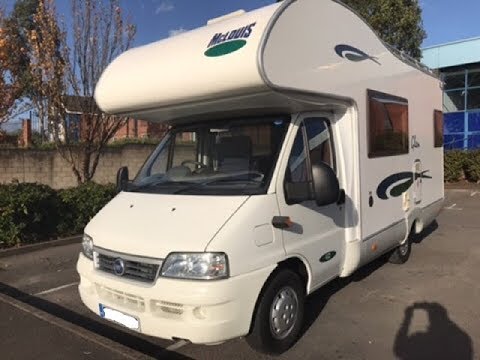
Fiat Ducato
(2002-2006 /
)
How do you remove the radio from a Fiat Ducato? Follow these steps to replace the damaged radio. Use removal keys to detach the radio fixed in the ce…

Fiat Ducato
(2014-2026 /
X290)
In this guide we will see the main instructions that will allow us to disassemble and replace the standard radio of the Fiat Ducato. First of all, we…
Other guides you may be interested in |
Frequently Asked QuestionsHow to Open the Fuel Filler Flap in the Hyundai i30?
In this tutorial, you will learn how to open the fuel filler flap in the Hyundai i30, a very simple operation that follows the typical procedure of most vehicles. First, unlock the locks using the designated button on the remote, then open the driver's door, locate the release lever on the left side of the seat, and operate it. Next, move to the fuel filler flap, open it completely, unscrew the cap, and refuel as needed. To close the flap, simply press it gently. by ScegliAuto More videos
|
|
For advertising on this site Write to info@scegliauto.com
ScegliAuto is not responsible for any inaccuracy of the data in the lists. To report any inaccuracy or your business (if you own the business in question), please write to info@scegliauto.com
Number of seconds to generate the page: 0.064
(c) ScegliAuto 2026 - info@scegliauto.com - Privacy policy VAT number: IT01247470535 |
