
|
Do it yourself
| |||
| ||||


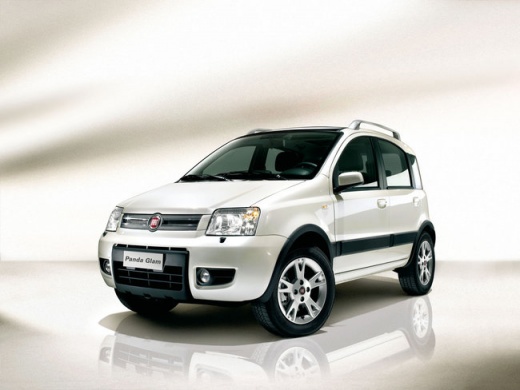
How to remove the rearview mirror from the Fiat Panda 169?
Model: Fiat Panda
169, MK 2
- Years:
2003, 2004, 2005, 2006, 2007, 2008, 2009, 2010, 2011, 2012
Video tutorial
Follow the various stages of removing the rearview mirror from the Fiat Panda 169, effectively shown in this video. Start by loosening the door panel after unscrewing all the screws present. It is not necessary to remove it completely; just detach it slightly to allow access to the triangular plastic panel located near the rearview mirror. Beneath this, you will find the securing bolt of the mirror that you need to unscrew. Now, move to the outside of the vehicle, grasp the mirror, and pull it towards you to remove it.
Updated on 26 August 2026 by ScegliAuto
Related tutorials
Fiat Panda
(2003-2012 /
169, MK 2)
How do you remove the mirror on a Fiat Panda? This video shows how to remove an external wing mirror on a Panda. Detach the mirror adjustment lever b…
Fiat Panda
(2003-2012 /
169, MK 2)
In today's tutorial video, see how to remove the rear seats from the Fiat Panda 169, second series, in simple steps. First, open the rear doors and s…

Fiat Panda
(2003-2012 /
169, MK 2)
In this video guide, you will learn how to disassemble and replace the fuel float pump on a Fiat Panda 169. First, remove the bolts from the rear sea…
Other guides you may be interested in |
Where are the fuses located on the Renault Laguna?
On the Renault Laguna, the fuses are located inside the fuse boxes installed in the vehicle: in this car model, you will find two boxes for containing the fuses. The first is in the fuse box on the left side of the dashboard, accessible by opening the driver's door: here you will find the fuses for the windscreen wipers, fog lights, horn, etc. The second box is located on the right side of the engine compartment: here you will find the fuses for the dipped headlights, radiator fan, alternator, etc. by ScegliAuto More videos
|
|
For advertising on this site Write to info@scegliauto.com
ScegliAuto is not responsible for any inaccuracy of the data in the lists. To report any inaccuracy or your business (if you own the business in question), please write to info@scegliauto.com
Number of seconds to generate the page: 0.017
(c) ScegliAuto 2026 - info@scegliauto.com - Privacy policy VAT number: IT01247470535 |
