
|
Do it yourself
| |||
| ||||


Ford Galaxy - SeatSeat Ford Galaxy (2006-2015 / mk 2) Ford Galaxy (2006-2015 / MK 2) How to Remove the Front Seat from the Ford Galaxy Follow these steps to remove and replace the front seat of the Ford Galaxy. First, open the front door of the vehicle and start unscrewing all the fastening …Read all… Posted on 8 October 2026 by ScegliAuto 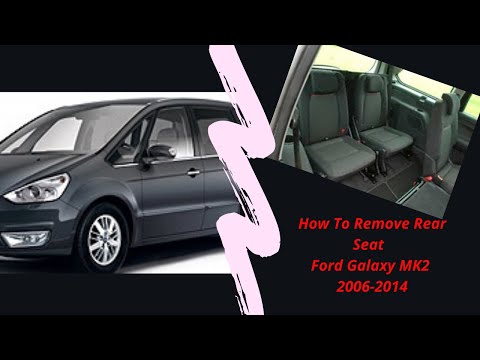 Ford Galaxy (2006-2015 / MK 2) How to Remove the Rear Seats of the Ford Galaxy Discover the main instructions in this guide on how to remove and replace the rear seats of the Ford Galaxy. First, open the rear doors and begin to unscrew …Read all… Posted on 17 July 2026 by ScegliAuto Airbag (1) Car stereo (5) Battery (3) Control arm (2) Key (5) Timing belt (3) Checks and maintenance (2) Headlight (1) Tail light (1) Fog lights (3) Air filter (2) Cabin air filter (2) Diesel fuel filter (3) Oil filter (1) Parking brake (1) Headlight bulb (3) (1) Engine (1) Engine oil (3) Clock (1) Door trim panel (3) Rear bumper (2) Fuel pump (2) Instrument cluster (1) Fuse box (15) Seat (2) Side mirror (2) Warning light – error code (4) Tire pressure warning light (1) Service warning light (18) Center console tunnel (1) |
How to reset the Service light on a 2019 Jeep Renegade?
The Service light, depicted as a yellow spanner, illuminates as scheduled to remind the driver that it is time for scheduled maintenance. This means that the set mileage has been reached, or the expected time has passed. The procedure involves turning on the instrument cluster, pressing the accelerator three times, and then turning off the ignition. After this, keep the brake pressed, turn the ignition back on, and then turn it off again. Upon the next ignition, you will notice that the light has been reset. by ScegliAuto More videos
|
|
For advertising on this site Write to info@scegliauto.com
ScegliAuto is not responsible for any inaccuracy of the data in the lists. To report any inaccuracy or your business (if you own the business in question), please write to info@scegliauto.com
Number of seconds to generate the page: 0.008
(c) ScegliAuto 2026 - info@scegliauto.com - Privacy policy VAT number: IT01247470535 |
