
|
Do it yourself
| |||
| ||||


How to reset the electric windows on a 2015 Ford Ranger
Model: Ford Ranger
T6, P375, PX
- Years 2011-2023
If the power windows are not working properly, you can easily reset them after disconnecting the battery. Close the window completely, then hold down the button upwards for about 5 seconds after it reaches the top. Now lower it completely and, once down, hold down the button downwards for another 5 seconds. This should reset the automatic function. If it doesn't work, try repeating the procedure on each window. It's a simple trick that often solves the problem without having to go to the mechanic. Otherwise, ask for help from your trusted workshop.
Posted on 4 March 2025 by ScegliAuto
Video tutorial
Related tutorials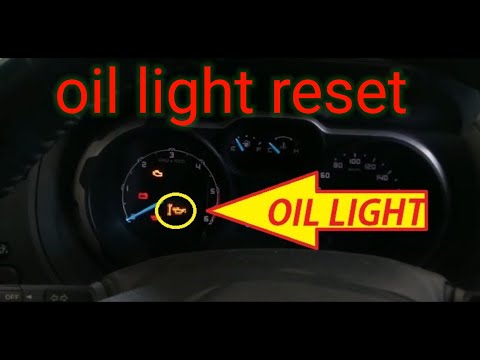
Ford Ranger
(2011-2023 /
T6, P375, PX)
In this new mini guide dedicated to your Ford Ranger second series (2011-2020), discover how to manually reset the oil light that appears on the inst…
Ford Ranger
(2011-2023 /
T6, P375, PX)
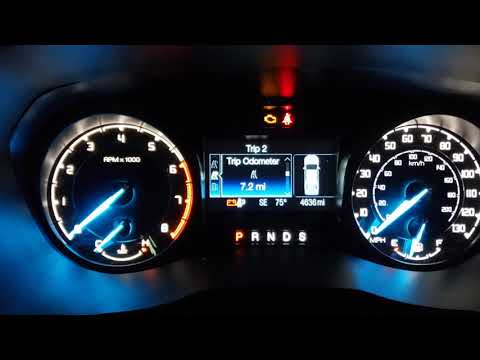
To reset the Service light on a Ford Ranger, turn on the instrument cluster, then press the MENU button located on the right side of the steering whe…

Ford Ranger
(2022-2026 /
P703, RA)
If you don't know how to correctly perform the manual reset of the oil light on your Ford Ranger (2023), don't worry because in the following guide y…
Other guides you may be interested in
|
How to reset the tyre pressure warning light on a Hyundai Tucson
Below are the instructions to reset the tyre pressure warning light (TPMS) on a Hyundai Tucson. First, get into the vehicle and turn on the instrument cluster; then navigate to the vehicle settings until you reach the tyre pressure monitor, identifying the tyre with incorrect pressure. At this point, restore all tyre pressures according to the specifications indicated on the label; this will reset the TPMS and the warning light will be cleared from the instrument cluster! by ScegliAuto More videos
|
|
For advertising on this site Write to info@scegliauto.com
ScegliAuto is not responsible for any inaccuracy of the data in the lists. To report any inaccuracy or your business (if you own the business in question), please write to info@scegliauto.com
Number of seconds to generate the page: 0.421
(c) ScegliAuto 2026 - info@scegliauto.com - Privacy policy VAT number: IT01247470535 |
