
|
Do it yourself
| |||
| ||||


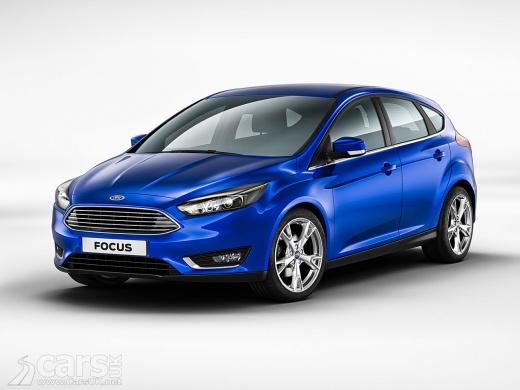
How to Replace the Wiper Blades on a Ford Focus
Model: Ford Focus
MK 3
- Years:
2011, 2012, 2013, 2014, 2015, 2016, 2017, 2018
This video is currently unavailable
Learn how to replace the wiper blades on the front windscreen of a Ford Focus. Take the front wiper blade with your hands, pull the movable blade as shown in the video (press the plastic release button) and slide it off the arm on the left. Fit the new blade onto the arm: you will hear a click indicating it is securely attached. Finally, lower the wiper arm onto the windscreen and perform the same operation on the second blade. Test the newly fitted blades by operating the respective lever. It is always preferable to fit original parts for better durability and quality.
Updated on 4 March 2026 by ScegliAuto
Related tutorials
Ford Focus
(2004-2011 /
MK 2, Focus 2)
.. today with our video tutorial, you will learn how to replace the wiper blades on a Ford Focus 2. To perform this task, lift the wiper arm. To remove.. …

Ford Focus
(2004-2011 /
MK 2, Focus 2)
Are your wiper blades damaged? Here's how to replace them. Take the front wiper blade to be replaced, gently pull the movable blade as shown in the v…

Ford Focus
(2018-2025 /
MK 4)
In this video, you can see how to set the front wipers of a Ford in service mode. This procedure positions the wipers close to the edge of the windsc…
Other guides you may be interested in |
Where are the fuses located on the Renault Laguna?
On the Renault Laguna, the fuses are located inside the fuse boxes installed in the vehicle: in this car model, you will find two boxes for containing the fuses. The first is in the fuse box on the left side of the dashboard, accessible by opening the driver's door: here you will find the fuses for the windscreen wipers, fog lights, horn, etc. The second box is located on the right side of the engine compartment: here you will find the fuses for the dipped headlights, radiator fan, alternator, etc. by ScegliAuto More videos
|
|
For advertising on this site Write to info@scegliauto.com
ScegliAuto is not responsible for any inaccuracy of the data in the lists. To report any inaccuracy or your business (if you own the business in question), please write to info@scegliauto.com
Number of seconds to generate the page: 0.012
(c) ScegliAuto 2026 - info@scegliauto.com - Privacy policy VAT number: IT01247470535 |
