
|
Do it yourself
| |||
| ||||


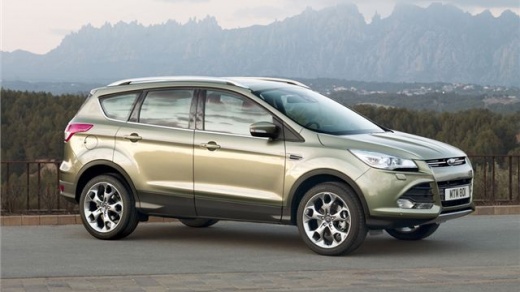
How do you program the movement of the side glass in the Ford Kuga?
Model: Ford Kuga
MK 2, C520
- Years:
2012, 2013, 2014, 2015, 2016, 2017, 2018, 2019
Video tutorial
In the attached video, the procedure for programming the opening and closing of the side window is performed on a 2019 Ford Focus, but since it is considered a standard method, it can also be applied to the Ford Kuga. The method is very simple to implement: turn on the instrument panel, open the window and when it reaches the end of its travel, continue to hold down the button for a few seconds, repeating the same procedure for closing. By doing this, the end points of the travel are memorized, both for opening and closing, so that you do not end up with the side windows not completely raised or lowered.
Posted on 7 September 2025 by ScegliAuto
Related tutorials
Ford Kuga
(2012-2019 /
MK 2, C520)
In this guide, we will see the instructions that will allow us to program the remote control and key of the Ford Kuga. First, we get into the car wit…

Ford Kuga
(2012-2019 /
MK 2, C520)
Programming an "old style" remote on a 2014 Ford Escape/Kuga (with a blade key and 80-bit chip) is simple. Sit in the driver's seat and close the doo…

Ford Kuga
(2012-2019 /
MK 2, C520)
In today's tutorial, you will learn how to remove and replace the indicator bulb of the external wing mirror of the second generation Ford Kuga. Firs…
Other guides you may be interested in
|
How to Enter the Unlock Code for the Radio in the Nissan Micra?
In this tutorial, you will see how to enter the unlock code for the radio in the Nissan Micra, a very simple operation to perform in case of memory loss after replacing the battery. The code can be found in the documents provided at purchase or through one of the various online recovery services. First, turn on the instrument panel, then repeatedly press the "1" button until you reach the first digit of the code. Follow the same logic to enter the remaining 3 digits using the "2", "3", and "4" buttons, and confirm the entry with the up arrow button. by ScegliAuto More videos
|
|
For advertising on this site Write to info@scegliauto.com
ScegliAuto is not responsible for any inaccuracy of the data in the lists. To report any inaccuracy or your business (if you own the business in question), please write to info@scegliauto.com
Number of seconds to generate the page: 0.023
(c) ScegliAuto 2026 - info@scegliauto.com - Privacy policy VAT number: IT01247470535 |
