
|
Do it yourself
| |||
| ||||


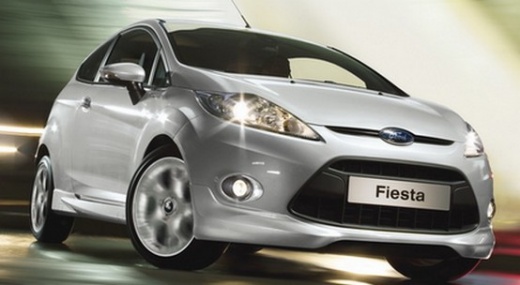
How to Remove the Rear Light of a Ford Fiesta
Model: Ford Fiesta
Fiesta 6, MK VI, MK 6
- Years:
2008, 2009, 2010, 2011, 2012, 2013, 2014, 2015, 2016, 2017
Video tutorial
To remove the rear light of a Ford Fiesta, open the boot to access the internal fixings of the light. Along the inner edge of the bodywork, locate the visible fixing screws. Use a screwdriver or a Torx key to completely unscrew the screws next to the light. Once removed, grasp the light from the outside and pull it outwards, maintaining a linear motion to free the alignment pins inserted in the metalwork. When the light is loose, access the back and disconnect the electrical connector of the light unit by pressing the locking tab.
Posted on 23 August 2026 by ScegliAuto
Related tutorials
Ford Fiesta
(2008-2017 /
Fiesta 6, MK VI, MK 6)
These brief and simple steps will allow you to remove and replace the rear light on a Ford Fiesta. First, open the boot and start removing the side t…

Ford Fiesta
(2002-2008 /
MK V, MK 5, Fiesta 5)
Let's see how to remove the rear light on a Ford Fiesta. Lift the tailgate to access the securing screws located at the sides of the light. Unscrew t…

Ford Fiesta
(2008-2017 /
Fiesta 6, MK VI, MK 6)
In this tutorial, you will see how to remove the rear light on a Ford Fiesta, a very simple and quick operation. First, ensure the key is not in the …
Other guides you may be interested in
|
How to Set the Time in an Audi A4?
In this tutorial, you will see how to set the time in an Audi A4, a very simple and quick operation to perform after replacing the battery or when the time changes. First, insert the key and turn on the instrument cluster. Then, press the "SETUP" button located on the center console. Next, press the upper left arrow button, navigate to the "Time" option, and use the central knob to adjust the clock. Finally, set any necessary formats and save by returning to the main screen. by ScegliAuto More videos
|
|
For advertising on this site Write to info@scegliauto.com
ScegliAuto is not responsible for any inaccuracy of the data in the lists. To report any inaccuracy or your business (if you own the business in question), please write to info@scegliauto.com
Number of seconds to generate the page: 0.086
(c) ScegliAuto 2026 - info@scegliauto.com - Privacy policy VAT number: IT01247470535 |
