
|
Do it yourself
| |||
| ||||



How to Reset the Oil Light on the 2019 Ford Fiesta?
Model: Ford Fiesta
- Years:
2017, 2018, 2019, 2020, 2021, 2022, 2023
Video tutorial
Fortunately, the procedure required to correctly perform the manual reset of the oil light on your Ford Fiesta (2019) is very simple. For this reason, just read the following guide to understand how to carry it out and complete the reset. First, get into the car and turn on the instrument cluster, then press the menu button located on the right side of the steering wheel and select "Information". At this point, locate the entry related to the remaining life of the engine oil and hold down the "OK" button until the reset is completed.
Posted on 8 October 2026 by ScegliAuto
Related tutorials
Ford Fiesta
(2002-2008 /
Fiesta 5, MK 5, MK V)
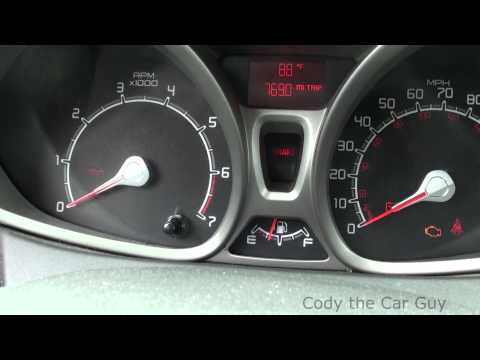
When the oil light comes on in a Ford Fiesta, it means that it is necessary to replace the vehicle's motor oil and only then reset the light. To rese…
Ford Fiesta
(2008-2017 /
Fiesta 6, MK 6, MK VI)
How do you reset the oil light on a Ford Fiesta? Let's see how to reset the light found on the instrument cluster. Enter the vehicle, turn on the ins…

Ford Fiesta
(2017-2023 /
MK 7, MK VII, Fiesta 7)
In today's tutorial video, we will see how to reset the service light, which is the key symbol that appears on the dashboard, on the seventh generati…
Other guides you may be interested in
|
How to Set the Time on a Toyota Yaris Cross
Setting the time on a Toyota Yaris Cross is a very simple operation that can be done independently. The first step is to turn on the instrument panel. The second step is to access the settings menu using the joystick on the steering wheel. Once in the menu, select the "Clock" option. The third step is to press and hold this option and set the hour and minutes you desire using the arrow buttons. Finally, return to the main menu and turn off the instrument panel. Turn the panel back on to check that the new time has been set successfully. by ScegliAuto More videos
|
|
For advertising on this site Write to info@scegliauto.com
ScegliAuto is not responsible for any inaccuracy of the data in the lists. To report any inaccuracy or your business (if you own the business in question), please write to info@scegliauto.com
Number of seconds to generate the page: 0.135
(c) ScegliAuto 2026 - info@scegliauto.com - Privacy policy VAT number: IT01247470535 |
