
|
Do it yourself
| |||
| ||||


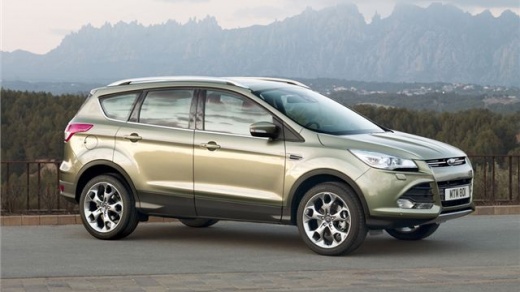
Removing the Panel on a Ford Kuga
Model: Ford Kuga
MK 2, C520
- Years:
2012, 2013, 2014, 2015, 2016, 2017, 2018, 2019
This video is currently unavailable
Learn how to remove the covering panel of the door on a Ford Kuga. Remove the screw cover cap inside the space of the door opening lever (unscrew the screws). Unscrew the screws located in the handle after removing the switch panel of the window lifters. Detach the door panel, disengage the clips of the window lifters and speakers. Do not lose any of the clips located behind the previously removed plastic panel. Now that you have removed the door panel, peel off the adhesive cover from the metal and access the inside or replace the covering panel.
Updated on 30 March 2026 by ScegliAuto
Related tutorials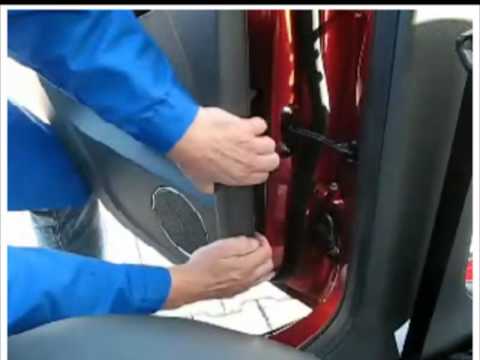
Ford Kuga
(2012-2019 /
MK 2, C520)
To remove the door panel from a Ford Kuga, start by unscrewing the securing screws located above the door panel. Remove any screws located in the pla…

Ford Kuga
(2012-2019 /
MK 2, C520)
Today, we will see in this video tutorial how to remove the door panel of a Ford Kuga from its second series. Open the car door and equip yourself wi…
Ford Kuga
(2012-2019 /
MK 2, C520)
In this video, learn how to remove the centre console of the dashboard and the climate control buttons on a Ford Kuga second series. First, get insid…
Other guides you may be interested in
|
How to Enter the Unlock Code for the Radio in the Nissan Micra?
In this tutorial, you will see how to enter the unlock code for the radio in the Nissan Micra, a very simple operation to perform in case of memory loss after replacing the battery. The code can be found in the documents provided at purchase or through one of the various online recovery services. First, turn on the instrument panel, then repeatedly press the "1" button until you reach the first digit of the code. Follow the same logic to enter the remaining 3 digits using the "2", "3", and "4" buttons, and confirm the entry with the up arrow button. by ScegliAuto More videos
|
For advertising on this site Write to info@scegliauto.com
ScegliAuto is not responsible for any inaccuracy of the data in the lists. To report any inaccuracy or your business (if you own the business in question), please write to info@scegliauto.com
Number of seconds to generate the page: 0.022
(c) ScegliAuto 2026 - info@scegliauto.com - Privacy policy VAT number: IT01247470535 |
