
|
Do it yourself
| |||
| ||||


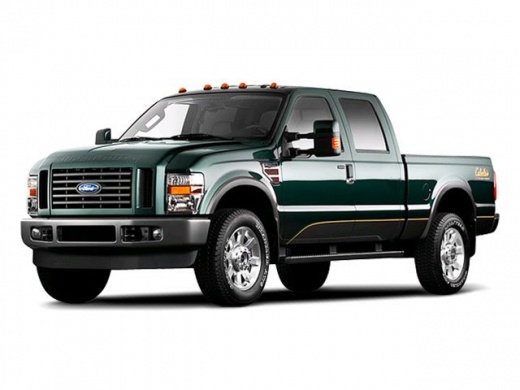
How to Install a Double DIN Car Stereo in a Ford F-350
Model: Ford F-350
P356
- Years:
2008, 2009, 2010
Video tutorial
To replace the factory car stereo with a double DIN model, follow these steps: First, remove the dashboard panel surrounding the stereo. Use a sharp object to pry out the two plastic covers located at the bottom sides and disconnect the respective connectors. Underneath, there are screws that need to be removed, then pull the center panel towards you. Next, unscrew the mounting screws of the stereo and pull it out of the bracket, then disconnect the wiring and rear connectors. At this point, take the new double DIN multimedia system with the corresponding wiring and insert it into the housing, making sure to reconnect all wiring including the antenna. Finally, reassemble all components in reverse order.
Updated on 18 May 2026 by ScegliAuto
Related tutorials
Ford F-350
(2008-2010 /
P356)
In today's video, we will see how to replace the factory stereo in the Ford F-350. Remove the two plastic parts at the base of the center console usi…

Ford F-350
(2011-2016 /
P473)
Start by removing the two screws on the sides of the center console, disconnecting the connectors. Now, unscrew the two support screws of the trim. P…

Ford F-350
(1999-2007 /
Phn131)
Removing the radio in this type of vehicle is quite simple and quick. Before you start the removal process, make sure the engine is off and the batte…
Other guides you may be interested in
|
How to Reset the Tyre Pressure Warning Light on the Opel Mokka?
To reset the tyre pressure warning light on the Opel Mokka, turn on the ignition by inserting the key into the ignition switch. Once the ignition is on, navigate through the menu that appears on the dashboard by pressing the MENU button on the lever to the left of the steering wheel. When the tyre pressure option appears, press and hold the SET/CLR button located on the same lever. This will reset the warning light, and you can then turn off the ignition. by ScegliAuto More videos
|
|
For advertising on this site Write to info@scegliauto.com
ScegliAuto is not responsible for any inaccuracy of the data in the lists. To report any inaccuracy or your business (if you own the business in question), please write to info@scegliauto.com
Number of seconds to generate the page: 0.047
(c) ScegliAuto 2026 - info@scegliauto.com - Privacy policy VAT number: IT01247470535 |
