
|
Do it yourself
| |||
| ||||


Replacement of Side Indicator Lens
Model: Ford Focus
MK 1
- Years 1998-2004
Replacing the original orange indicator lenses with white ones will give the vehicle a much more modern and appealing look; these lenses are easy to find, even aftermarket, but it is also necessary to purchase orange bulbs; therefore, detach the original indicator lens by prying along the edges with your fingers, remove the bulb holder, and extract the original bulb to apply the new one; then attach the bulb holder to the new lens and the lens to the corresponding location on the wing, ensuring it fits perfectly.
Updated on 17 February 2026 by ScegliAuto
Video tutorial
Related tutorials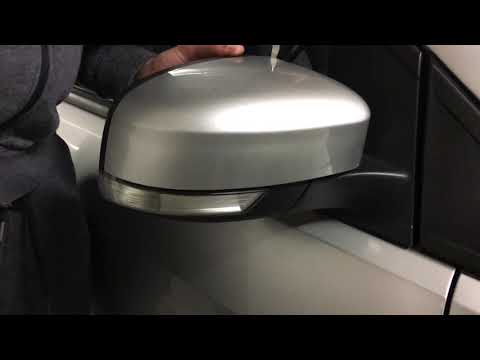
Ford Focus
(2004-2011 /
MK 2, Focus 2)
Before proceeding with the replacement of the side indicator bulb (integrated into the external wing mirror), ensure the vehicle is safely positioned…
Ford Focus
(1998-2004 /
MK 1)
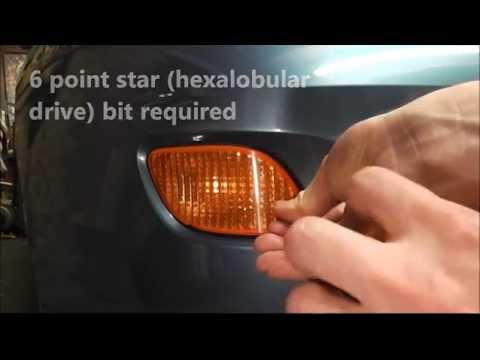
The front indicator light is located in the bumper: to replace the bulb, unscrew the fixing screw of the indicator light and pull it forward to remov…

Ford Focus
(2011-2018 /
MK 3)
Start by removing the cover of the mirror cap: to do this, use a flat screwdriver or a plastic wedge and pry behind the glass to release the clips of…
Other guides you may be interested in |
How to Bleed the Clutch on a Renault Clio?
To bleed the clutch on a Renault Clio, open the bonnet to access the components located in the engine bay: here, you will need to undo the screws that secure the battery in its housing, the intake manifold, and the coolant reservoir. This will allow you to locate the pipe through which the brake fluid flows: by inserting the other end of the pipe into a container, you can press the clutch pedal to expel all the fluid until it fills the container. by ScegliAuto More videos
|
|
For advertising on this site Write to info@scegliauto.com
ScegliAuto is not responsible for any inaccuracy of the data in the lists. To report any inaccuracy or your business (if you own the business in question), please write to info@scegliauto.com
Number of seconds to generate the page: 0.192
(c) ScegliAuto 2026 - info@scegliauto.com - Privacy policy VAT number: IT01247470535 |
