Honda Civic - Timing belt
Timing Belt Honda Civic (2001-2006 / mk 7)
Timing Belt Honda Civic (1995-2001 / mk 6)
Airbag (4)
Alternator (1)
Shocks (9)
Car stereo (7)
Battery (14)
Ignition coil (3)
Air vents (1)
Bushings (3)
Control arm (5)
Transmission (1)
Spark plugs (11)
Glow plugs (2)
Body (12)
Control unit (5)
Key (29)
Timing belt (2)
V-belt (3)
A/C controls (1)
Onboard computer (9)
Checks and maintenance (33)
Dashboard (4)
Shifter boot (1)
CV boot (1)
Bearing (5)
Rear bench seat (2)
Headlight (12)
Tail light (5)
Fog lights (1)
Air filter (15)
Cabin air filter (16)
Fuel filter (3)
Oil filter (2)
Parking brake (5)
Clutch (4)
Grille (1)
Fuel injectors (2)
Window switch (1)
Accessory kit (22)
Xenon headlight kit (3)
Light bulb (10)
Side marker bulb (1)
Headlight bulb (25)
Tail light bulb (7)
Interior dome light bulb (2)
Antifreeze coolant (1)
Instrument panel light (3)
License plate light (1)
(2)
Handle (9)
Exhaust muffler (3)
Engine (2)
Power window motor (3)
Starter motor (6)
Transmission fluid (3)
Engine oil (18)
Power steering fluid (1)
Clock (37)
Door trim panel (17)
Front bumper (10)
Rear bumper (2)
Brake pads (4)
Tires (2)
Shift knob (11)
Pump (2)
Fuel pump (6)
Car door (4)
Power window switch (1)
Instrument cluster (2)
Radiator (3)
Wheel (4)
Fuse box (35)
Seat (6)
Axle shaft (4)
Door lock (1)
Brake system (1)
Suspension system (3)
Side mirror (7)
Warning light – error code (33)
(1)
Tire pressure warning light (133)
Service warning light (89)
Manufacturer emblem (2)
Engine mount (2)
Brake drums and shoes (2)
Fuel cap (1)
Windshield wipers (5)
Thermostat (1)
Drivetrain (1)
Valve (2)
EGR valve (4)
Blower motor (6)
Side window (4)
Steering wheel (5)
|
Resetting the Service Light on the Mitsubishi Canter
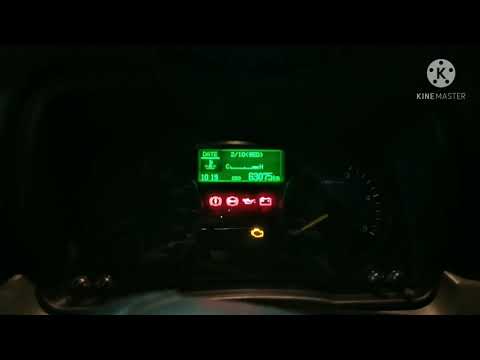
When it is necessary to change the engine oil of the Mitsubishi Canter, a warning on the dashboard alerts us to this requirement. Once this maintenance task is completed, you must reset the control system. Sit in the driver's seat and turn on the instrument panel. Without starting the engine, press and hold the accelerator pedal for twenty seconds. After this time interval, while still holding the accelerator pedal, pump the brake pedal six times. Once done, the warning on the instrument panel will turn off, confirming the reset.
Watch the video!
by ScegliAuto
More videos
|